



If you frequently watch TV, use a sound system, or play content on an LED screen, you’ve surely come across a remote control device—the IR controller.
What are the core functions of an IR controller? Do I need one in my daily life? Read this article for the most comprehensive guide to IR controllers, designed to help you quickly understand what they are and how to use them to conveniently manage your electronic devices.

What Is an IR Controller?
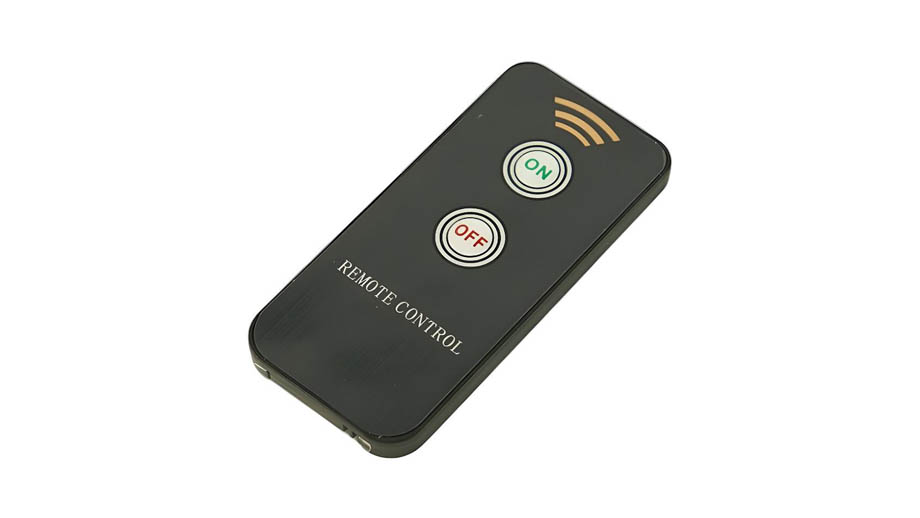
An IR controller is a device that sends infrared signals to electronic devices via an infrared transmitter to issue control commands. Since infrared light is invisible, using the controller does not cause any additional interference to the human eye or the display screen.
As a wireless device, the IR controller’s portability is another major advantage in everyday use. You can pick it up and put it down whenever you like, without worrying about cables or checking connection stability.
IR controllers are easy to use and simple to operate, which is why they are widely used to control devices such as monitors, audio systems, game consoles, and air conditioners.
How Does an IR Controller Work?
The IR controller uses the control buttons on its surface to adjust the internal infrared transmitter, thereby emitting infrared light signals with different commands to electronic devices.
Invisible infrared light is sent to the controlled device in the form of light pulses. The infrared receiver inside the device receives and reads the infrared signal, which is then interpreted by the device’s internal microprocessor.
The device subsequently executes the commands issued by the signal, thereby changing its power status and adjusting relevant parameters.
What Functions Can an IR Controller Manage?
An IR controller can serve as a portable controller, helping you quickly manage the power status and playback parameters of LED displays.
- Turning the LED display on/off: The IR controller can directly control the power on/off status of the LED display, allowing you to turn the screen on or off from a distance.
- Adjusting screen brightness: For simple screen settings adjustments, such as screen brightness, you do not need to use a video controller up close to perform the operation. By remotely adjusting the IR controller, you can access the brightness adjustment menu in the control software and quickly adjust the brightness.
- Controlling Screen Volume and Other Parameter Adjustments: You can use the IR controller to access the LED display’s control menu. By selecting a specific control bar and pressing the “+” or “–” buttons, you can adjust the display’s volume and other screen parameters.
Advantages of the IR Controller
As a widely used controller, the IR controller offers the following key advantages:
- Fast Response: The IR controller transmits commands via infrared light, so its signal transmission speed matches the speed of light, resulting in virtually zero latency. Furthermore, the control commands transmitted via infrared are relatively simple, allowing the device’s built-in infrared receiver to quickly read and respond to them.
- Easy to Use: The controller’s buttons are very straightforward; the main buttons you’ll need are the power button and the plus and minus keys for adjusting device settings. Users can start using it right away without having to learn complex instructions.
- Energy Efficiency: An IR controller only needs to activate its infrared LED to send commands, and the LED is very energy-efficient. A single controller equipped with a standard small battery can last for over a year.
Limitations of IR Controllers
Although IR controllers are very convenient to use, they have significant limitations in everyday life. Common limitations of IR controllers include:
- Control Range: The control range of an IR controller is very limited. Generally, it only supports a distance of 8 to 10 meters between the controller and the device being controlled; beyond this range, the controller’s commands may fail. Of course, as device quality improves, this control range may gradually increase, but the difference will generally not be significant.
- Object Obstruction: The infrared signals emitted by the controller are light waves. If there are obstacles between the controller and the device being controlled, the infrared light may be blocked, causing the signal transmission to fail. You must ensure there are no obstructions between the infrared receiver and the infrared transmitter.
- Susceptibility to Environmental Interference: The infrared light from the controller may be interfered with by ambient infrared light, infrared light contained in sunlight, and strong infrared light emitted by other devices.
- Power Dependency: The IR controller requires the infrared LED to emit light in order to send commands; if the controller’s battery is dead, it will not function.
Differences Between IR Controllers and Other Types of Controllers
In addition to IR controllers, other common types of controllers in daily life include RF controllers and Bluetooth controllers. The main differences between them and IR controllers are as follows:
| Controller Type | Signal Type | Obstruction by Objects | Power Consumption | Control Range | Environmental Interference | Main Applications |
| IR Controller | Infrared Light | Affected | Low Power Consumption | 8 ~ 10 meters | Affected by ambient infrared light | TVs, air conditioners, LED displays, audio systems |
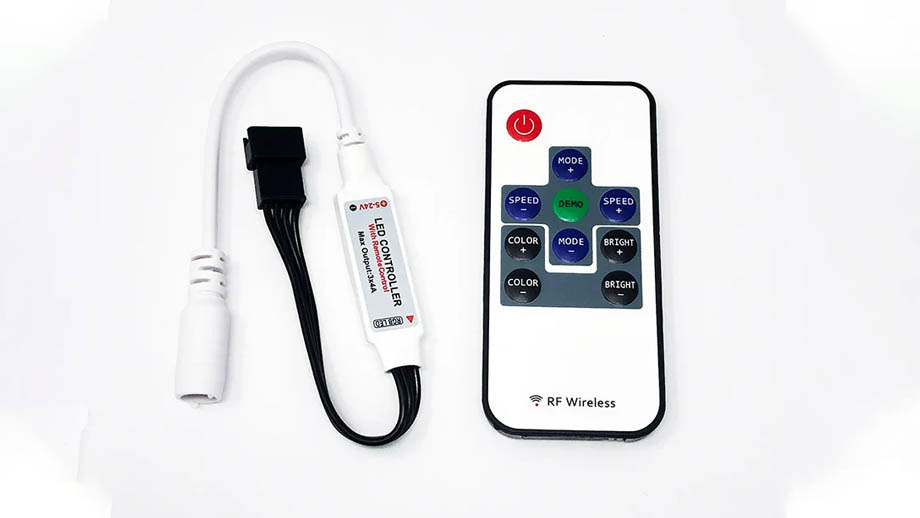
| RF/Bluetooth Controllers | Radio waves | Not affected | High power consumption | Approximately 30 meters | Affected by ambient electromagnetic waves | Cars, game consoles, smart TVs |
As can be seen, if the environment where your devices are located is relatively complex and the control distance is long, an RF/Bluetooth controller is more suitable for you.
If the environment is relatively simple, with no large obstacles blocking the line of sight, and the control distance is within 10 meters, an IR controller is a better choice.
Applications of IR Controllers in Daily Life
As a lightweight, compact, and easy-to-use controller, the IR controller has a wide range of practical applications in everyday life, spanning various fields such as home appliances, commercial LED displays, industry, and the automotive sector:
- Home Appliances: IR controllers can be used to turn on and off devices such as air conditioners, TVs, blinds, and fans, as well as adjust other settings, allowing you to control your home appliances without having to move.
- LED Displays: IR controllers help you manage the power, brightness, volume, and other settings of LED displays. This is particularly useful for LED scoreboards at sports venues, where an IR controller enables remote adjustment of real-time scores, ensuring the timeliness and accuracy of the displayed results.
- Industrial Equipment: For some industrial equipment, it may not be practical for workers to constantly be in proximity to operate and manage them. Using an IR controller allows for remote management of equipment power on/off and adjustment of operating intensity.
- Automotive Equipment: Some vehicles support IR controller management for opening and closing windows, as well as controlling the radio, seats, entertainment displays, and other features.
FAQ
Would Adding Wi-Fi Control to an IR Controller Be Beneficial?
Yes. By adding Wi-Fi control functionality to an IR controller, you can transmit control commands via a network signal, which helps overcome the limitations of traditional infrared control in terms of distance and obstructions. However, it’s important to note that Wi-Fi control requires a stable network connection.
How Can I Increase the IR Controller’s Control Range?
You can connect an HDMI extender to the IR controller. By using the extender to create a new connection between the controller and the device, you can extend the range of the IR controller’s signal. Currently, this method can extend the IR controller’s control range up to 200 meters.
Can the IR Controller’s Signal Pass Through Walls?
Generally, no, because the IR controller’s signal is infrared light, which is blocked by walls; however, you can enable the signal to pass through walls by adding Wi-Fi control, RF control, or an HDMI extender to the IR controller.
Can a Smartphone Be Used as an IR Controller?
If your smartphone has a built-in infrared transmitter, it can be used as an IR controller. Alternatively, you can purchase an external infrared transmitter online, connect it to your smartphone, and download remote control software to control air conditioners, TVs, and LED screens via infrared.
Will IR Controllers Become Obsolete?
Not at this time. Although IR controllers have many limitations, you can extend their control range and improve performance by adding other components. Moreover, their energy efficiency, ease of use, and exceptional portability greatly facilitate the daily management and use of electronic devices.
Summary
An IR controller is a simple and easy-to-use device suitable for most household electrical appliances. However, it is susceptible to interference from ambient visible light and obstructions. If you have more advanced remote control needs, you may opt for an RF or Bluetooth controller instead.

