In the gaming world, screen tearing and lagging can affect the player’s gaming experience, and the advent of G-SYNC technology will ameliorate these undesirable gaming phenomena, allowing players to enjoy a gaming experience like never before.
In this article, we will provide you with comprehensive information about G-SYNC and answer frequently asked questions about G-SYNC.

What is G-SYNC?
G-SYNC is an adaptive display technology from NVIDIA that synchronizes the refresh rate of the monitor with the frame rate of the graphics card, eliminating screen tearing and enabling a smoother gaming experience.
History of G-SYNC
Introduced by NVIDIA in 2013, G-SYNC has led the way in the gaming experience by making screen tearing and lagging a thing of the past, and G-SYNC technology has gone through a number of releases to date, with the original V1 release and the G-SYNC Pulsar release in 2024 being the gold standard for visual clarity in gaming. G-SYNC is the gold standard for visual clarity in gaming.
How G-SYNC works
G-SYNC works when the graphics card’s frame rate is lower than the monitor’s refresh rate, forcing the graphics card to extend its scanning time, allowing the entire monitor to continue outputting the previous frame until the graphics card’s frame rate is synchronized with the monitor’s refresh rate, thus eliminating display tearing and lag.
What are the features of G-SYNC
Superior Sensitivity
G-SYNC has super sensitivity. When it is found that the frame rate of the graphics card is not equal to the refresh rate of the monitor, it can reduce the scan rate at the first time, so that the monitor is not limited by the delay, and the monitor will have a smoother picture.
High Picture Quality
G-SYNC display technology can get realistic display images both in the gaming field and movie making. The technology of G-SYNC makes users more engaged when viewing the images. In addition, the high image quality facilitates post-processing and production of movies, allowing for more flexible picture cropping and perfect processing.
High Refresh Rate
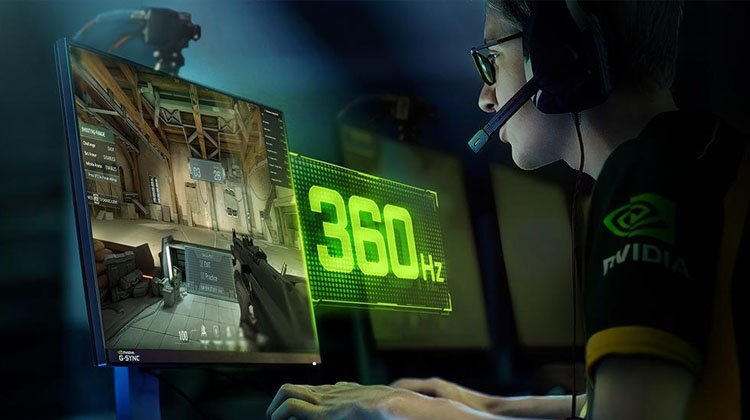
G-SYNC’s refresh rate ranges from 75Hz-360Hz, and the high refresh rate effectively reduces the latency of the monitor, thus increasing the smoothness of the monitor. In addition, the high refresh rate can also make the image no longer blurred and flickering when in motion, which largely relieves our eye fatigue.
Wide Color Gamut
Due to the improvement of the overall picture quality, the monitor is able to present more colors, making the color of the picture more realistic, and even sometimes perfectly reproducing the reality of the picture. Wide color gamut is especially important for users with specialized needs, such as video editing and movie making.
Reduced Stuttering
G-SYNC display technology effectively reduces lag. For gamers, frequent stuttering is a fatal injury that greatly reduces the gaming experience. With a refresh rate of up to 360Hz and excellent response speed, G-SYNC allows gamers to eliminate the annoyance of lagging and thus have a more immersive gaming experience.
Reduced Latency
G-SYNC effectively improves the latency between a gamer’s keyboard commands and the screen, thus increasing the efficiency and satisfaction of the gamer’s operation in the game. In addition, the reduced latency not only allows gamers to have a smoother gaming experience, but also allows many users to respond quickly when opening websites or opening various applications.
Eliminate Tearing
Display screen tearing is a visual split in the display caused by the GPU’s inability to keep up with the refresh rate of the display. Simply put, screen tearing is when one part of the display has started displaying a new image while the other part still retains the previous frame, and with the advent of G-SYNC technology, screen tearing is perfectly eliminated.

Compatible with HDR
G-SYNC is not only compatible with HDR, but in high-end monitors it can even optimize HDR for a more colorful display. The combination of the two provides gamers with better picture quality and smoothness.
The three main types of G-SYNC technology are
FreeSync
FreeSync is a display technology developed by AMD. It synchronizes the refresh rate of the monitor with that of the graphics card to reduce screen lag and tearing.FreeSync supports a wide refresh range of up to 240Hz.
V-Sync
The full name of V-Sync is Vertical Synchronization. It synchronizes the image frame rate of a game or application with the monitor’s refresh rate to eliminate screen tearing and ensure that each frame is within the monitor’s refresh cycle.
G-SYNC
G-SYNC is a display technology developed by NVIDIA that also synchronizes the monitor’s refresh rate with the graphics card’s frame rate. G-SYNC supports a higher range of refresh rates up to 360Hz and is compatible with NVIDIA’s Reflex technology, which reduces latency and allows users to get a smoother display.
Frequently Asked Questions
Is G-SYNC worth it?
If you’re a gamer looking for the ultimate in gaming, then G-SYNC is well worth getting. G-SYNC not only improves the image quality of the game but also reduces the tearing of the screen, and the keyboard and monitor can achieve lower latency, thus increasing the gaming experience.
Is G-SYNC compatible with all graphics cards?
No. G-SYNC is not compatible with all graphics cards, and it is difficult to find a display technology that is compatible with all graphics cards on the market, not just G-SYNC. Theoretically, only NVIDIA graphics cards or NVIDIA monitors can fully support its native display technology.
Is G-SYNC suitable for gaming?
Yes, G-SYNC is very suitable for gaming. Because G-SYNC was originally designed to be compatible with most games. However, for older games, G-SYNC’s capabilities cannot be fully utilized.
Can G-SYNC be used with multiple monitors of different resolutions?
Yes, but this may reduce your gaming experience. Because resolution mismatch may affect the scaling of the monitors, resulting in an inconsistent display that may affect your gaming experience to some extent, it is still recommended to use monitors with the same resolution for game setup.
Can I use G-SYNC with my old graphics card?
Yes, you can. As long as your old graphics card is an NVIDIA card, you will be able to use G-SYNC with it, but you may not be able to experience the full benefits of G-SYNC technology.
Can I use G-SYNC on my laptop?
Yes, you can. As long as you purchase a laptop that supports G-SYNC technology, you will get its native display. Because there are many different display technologies on the market, and not all laptops are equipped with G-SYNC display technology, you will have to purchase an NVIDIA graphics card and a G-SYNC-enabled monitor in order to experience the G-SYNC display.
Can G-SYNC displays be used for tasks other than gaming?
Yes, G-SYNC technology can be used for tasks other than gaming, such as 3D movie production or other creative productions. Because they are able to perfectly reproduce realistic picture quality and have an extremely high color gamut, they make it easier for filmmakers to calibrate and produce 3D movies and more.
Do LED display support G-SYNC technology?
This depends on whether your computer contains an NVIDIA graphics card. If it does, then the same effect can be achieved when connected to the LED display. If it does not contain an NVIDIA graphics card, G-SYNC technology is not supported.
What are the hardware requirements for G-SYNC?
The hardware requirements for G-SYNC are mainly in the graphics card, the monitor and the connection method. The graphics card must be NVIDIA or higher, the monitor must have a G-SYNC module or G-SYNC Compatible provided by NVIDIA, and the connection must have DisplayPort 1.2 or higher.
Summary
Overall, the performance enhancement of G-SYNC technology for monitors is unquestionable. However, as G-SYNC is a NVIDIA proprietary display technology, you must have the appropriate hardware to experience native G-SYNC perfectly.