The terms “HD” and “FHD” are commonly encountered when watching videos, purchasing electronic display devices, and reviewing photo specifications.
But what exactly do they mean? And how do these two resolutions differ? This article provides a detailed overview of both resolutions to help you better understand and distinguish between them.
What Is HD?
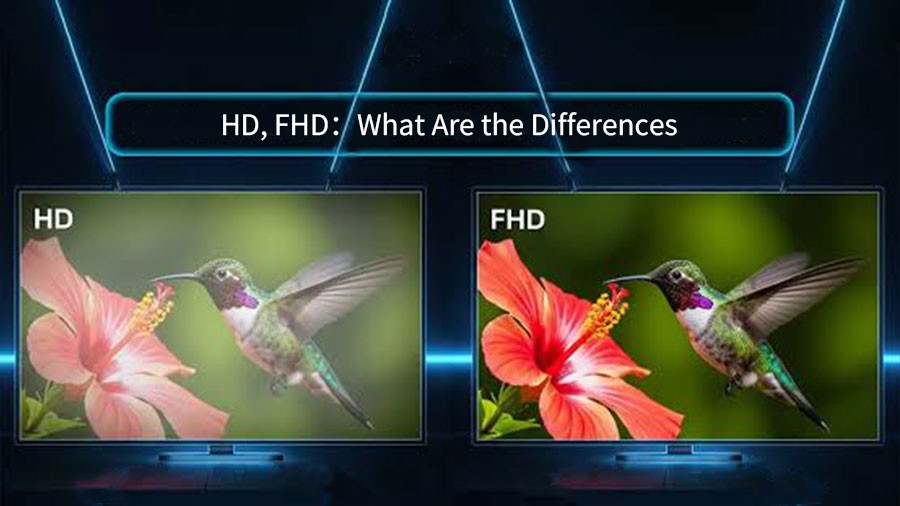
HD stands for High Definition. It is a display resolution that, in some consumer products, is typically 1280×720 pixels, which is why it is often referred to as 720p.
The “p” stands for progressive scan, meaning there are 720 vertical lines—that is, the total number of scanned lines is 720.
What is FHD?
FHD stands for Full High Definition, a resolution tier one level higher than HD. It is also known as 1080p because its resolution is 1920 x 1080 pixels, meaning it scans 1080 horizontal lines of pixels.
The Difference Between HD and FHD
Resolution
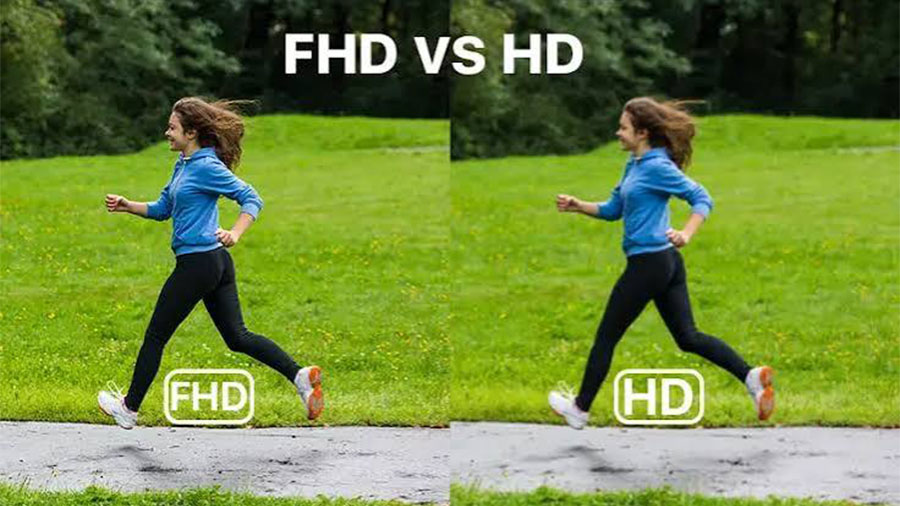
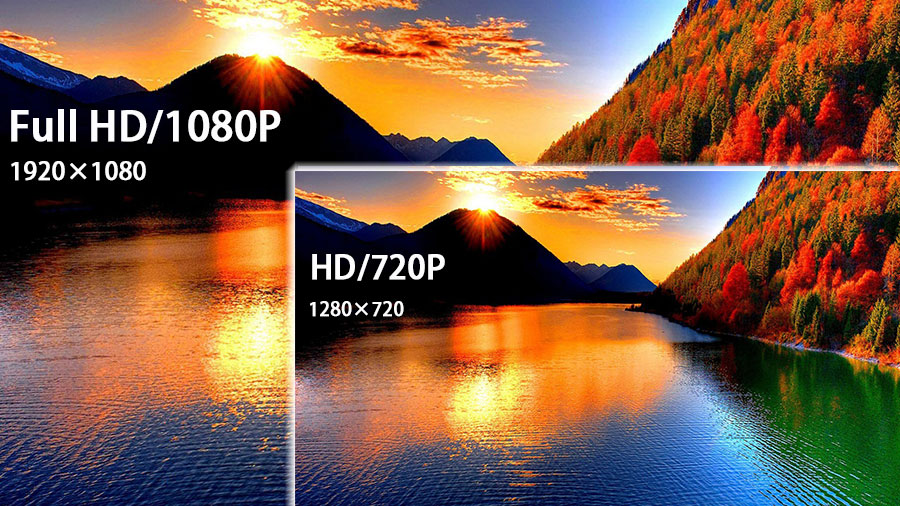
Resolution typically determines the quality of an image or video; generally, a higher resolution tends to produce better picture quality and finer image details.
However, some images remain blurry even when upscaled to a higher resolution due to distortion caused by compression.
Number of Pixels
The number of pixels is closely related to resolution; it is the product of the resolution’s width and height. The higher the resolution, the greater the total number of pixels.
HD has a total of approximately 921,600 pixels, while Full HD has approximately 2,073,600 pixels, and more than double the total number of pixels in HD.
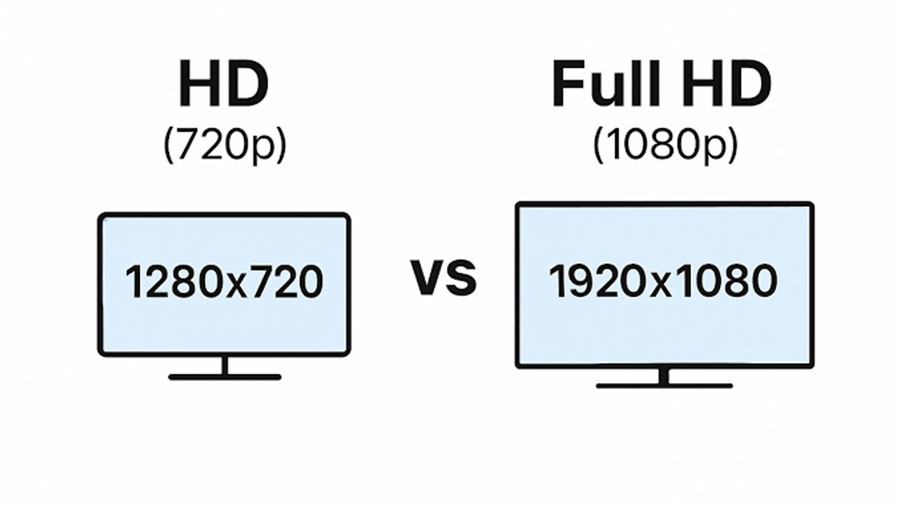
Image Dimensions
We use pixels to express image dimensions, which is another way of describing resolution. On a 2K-resolution display, an FHD image with a 16:9 aspect ratio and a resolution close to that of the display can fill the screen perfectly in full-screen mode while maintaining good image quality.
Although HD images also have a 16:9 aspect ratio, their dimensions are only about half those of FHD. When displayed on a 2K screen in full-screen mode, the image is stretched to fill the screen, resulting in blurriness and a poor visual experience.
Scanning Method
Both HD and FHD support only progressive scan. Although interlaced scanning formats like 720i and 1080i are currently available, they differ from HD and FHD and are not entirely equivalent.
Gaming Experience
Due to differences in resolution, the visual experience and feel of games will also vary.
For example, when playing the same game on an HD screen and an FHD screen—which are the same size but have different resolutions—the range of loaded imagery will differ.
In open-world games, the map view on an HD screen might have just loaded the forest, while on an FHD screen, you can already see the boundary between the forest and the desert, resulting in a different visual experience.
To put it more simply, in League of Legends (LoL), if you’re using an HD monitor, you might not be able to see where your enemies are, while enemies using an FHD monitor can see where you are—this difference in field of view leads to a different gaming experience. (This issue has since been fixed.)
Content Creation
When creating content, choosing FHD results in larger dimensions, higher complexity, and greater detail, which means the production time will be longer, but the overall effect will be better.
Choosing HD makes production slightly easier, but the overall effect will be slightly inferior to FHD.
Frame Rate
HD and FHD have different frame rates, and these also vary depending on the scanning method. In progressive scan, the frame rates for HD and FHD are 30 Hz and 60 Hz, respectively.
A higher frame rate ensures smoother playback, which is particularly important when viewing dynamic content.
In some smart games, the frame rate adjusts based on screen resolution to adapt to the current gaming device; generally, the higher the resolution, the higher the frame rate.
Content Availability
Native content in both HD and Full HD resolutions is widely available on current playback software. Although 720p has been removed from the HD category on YouTube, 720p content remains more widely available and is currently the mainstream resolution. In contrast, 1080p content on some online video platforms requires a paid subscription to access.
Available Space
When comparing a 720p display to a 1080p display, the 720p display shows less content and has less storage space, making it nearly impossible to display two windows side by side.
In contrast, a 1080p display offers more usable and storage space, allowing for easy side-by-side window viewing.
The table below provides a visual comparison of the two:
| Difference | HD(720p) | FHD(1080p) |
| Resolution | 1280×720 pixels | 1920 x 1080 pixels |
| Number of pixels (total) | Approximately 921,600 pixels | Approximately 2,073,600 pixels |
| Image aspect ratio | 16:9 | |
| Scanning methods | Progressive scan | |
| Gaming experience | General | Better |
| Frame rate | 60Hz | 60Hz |
| Occasionally, changes may occur due to external factors (cables, resolution, hardware performance) | ||
| Content availability | Quite broad | Generally |
| Storage space | Fewer | Quite a few |
| Available space | Fewer | Quite a few |
HD vs. FHD: The Difference on LED Screens
Resolution
In LED screens, each LED represents a single pixel. Resolution is determined by the total number of LEDs. A HD LED screen has a resolution of 1280 × 720 pixels, meaning it contains approximately 921,600 LEDs.
A Full HD LED screen has a resolution of 1920 × 1080 pixels, totaling approximately 2,073,600 LEDs.
Screen Size
There is no absolute distinction in physical size between HD and Full HD LED screens.
Although we generally assume that Full HD screens have more pixels and therefore a larger area, the actual physical area depends on the pixel pitch used in the specific application.
For example, when using P2.5 LED modules to make high-definition LED displays, calculations show that its area is approximately 5.76 square meters. Conversely, if a Full HD LED display is used indoors with a pixel pitch of P1.5, its physical area is approximately 3.24 square meters.
In comparison, the HD display would be larger in size.
Manufacturing Costs
Theoretically, the manufacturing cost of an LED screen is primarily related to the pixel pitch: the larger the pixel pitch, the lower the cost per square meter and the cheaper the price; conversely, the smaller the pixel pitch, the higher the manufacturing cost.
Furthermore, since Full HD LED screens have a higher number of pixels—meaning more LEDs—they are generally arranged more densely with a smaller pixel pitch.
In most cases, the manufacturing cost of a Full HD LED screen is higher than that of an HD LED screen.
However, in actual production and implementation, in addition to pixel pitch, we must also consider the impact of other factors—such as LED screen packaging technology, manufacturing processes, components, and wiring—to determine the specific manufacturing cost.
Application Areas of HD and FHD
Online Streaming Platforms
Currently, most online streaming platforms still primarily use 720p for playback, which ensures basic viewing clarity and is freely available.
The prevalence of 1080p on streaming platforms is roughly on par with 720p; however, in some countries, certain streaming platforms impose restrictions on 1080p content, limiting access for some users.
Additionally, some platforms merely claim to offer 1080p, but their actual resolution does not meet Full HD standards.
Monitors
HD monitors have been phased out in today’s market; the entry-level standard for monitors is now 1080p. HD monitors are only still used in some very inexpensive small-screen devices.
Although they can meet basic usage needs, they lag far behind the pace of current monitor technology development.
As the current entry-level standard in the display industry, FHD monitors have a slightly larger market share than HD monitors.
They are still widely used in office settings, web browsing, and most ultrabooks; however, they are not the mainstream devices driving current market development.
With the successive introduction of 2K and 4K resolution monitors, 2K resolution has become the mainstream standard for consumer-grade displays, and there is a growing trend toward 4K.
Multimedia Formats
720p video provides basic viewing clarity on some small and medium-sized screens and takes up relatively little storage space; a video of about 90 minutes requires only slightly more than 1 GB of storage.
With its small data size, it takes less time to transfer and places lower demands on device decoding and playback capabilities, making it the preferred choice for online viewing.
1080p is now the entry-level standard for video and one of the mainstream resolutions. It offers less flexibility during content production and is prone to image quality loss.
However, it supports larger playback screens, delivers higher-quality visuals, and provides sharper image details.
Consequently, a 90-minute file can exceed 10 GB in size, placing higher demands on both device hardware and network performance, making it more suitable for viewing on mid- to high-end players.
For images, higher resolution generally means better image quality, but resolution is closely tied to the image’s pixel count and dimensions. If you want large images or panoramic shots, 1080p is a better choice.
However, for everyday smartphone photography or instant sharing via messaging apps like WhatsApp or Messenger, using 720p meets your needs while reducing the amount of phone storage used and improving the device’s performance.
Conclusion
From the above, we can see that FHD offers better visual quality and larger image sizes, while HD has a broader range of applications, lower hardware requirements, and lower costs. Each has its own specific uses and applications.
However, in the monitor market, HD monitors have now been phased out, and the market share of FHD monitors has also declined to some extent compared to the past.
FAQs
Which consumes more power: HD or Full HD resolution?
Theoretically, Full HD resolution has more pixels, so the display may require more power, but in practice, the difference between the two is negligible. The specific power consumption of both depends on the device and display technology used.
Will HD be obsolete by 2026?
In the monitor sector, HD displays are already obsolete. However, as far as online streaming platforms and multimedia formats are concerned, HD still holds a certain market share and has considerable room for application.
Can you tell the difference between HD and Full HD screens at a glance?
On small screens like smartphones and tablets, the difference in visual experience between the two is minimal, making it difficult to distinguish them at a glance.
However, on large screens or when viewed up close, the difference becomes quite noticeable and can be easily distinguished.
What are the drawbacks of Full HD?
When displayed on larger screens, its ability to render details is far less rich than that of 2K or 4K resolutions. If the screen is too large, the image may even exhibit pixelation along the edges, affecting the viewing experience.
When creating native content, it takes up more space and is difficult to adjust, making production challenging and hindering the ability to showcase its image quality advantages.
Is Full HD always better than HD?
Not necessarily. In areas with poor internet infrastructure or economically underdeveloped regions, where bandwidth, internet speeds, or hardware cannot adequately support Full HD, HD can actually provide a better viewing and user experience.