If you’ve purchased an LED display with a LINSN control card but aren’t sure which software to use for debugging, today I’ll provide a detailed introduction to three LINSN software solutions.
You can choose the one that best suits your needs based on its distinct features, then download and use it.
About Linsn Software

Founded in 2000, Shenzhen Linsn Technology Development Co., Ltd. holds a leading position in the LED control software field.
The three software solutions developed by LINSN: LedSet, LEDStudio, and LEDccs provide convenient content management and debugging services for thousands of LED displays equipped with LINSN control cards.
Features of the Three LINSN Software
LedSet
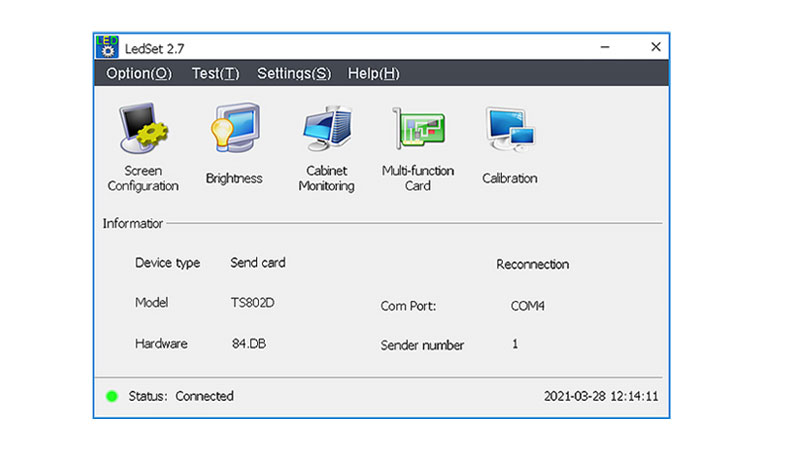
LedSet is a software for controlling and managing LINSN LED displays. Its functionality varies across different versions, which we will explain in three steps:
Features: LedSet integrates with multiple LINSN hardware components.
For instance, it pairs with transmitter cards for efficient data transmission, works with LED displays to enable zoning functionality, and facilitates content creation and editing on LINSN LED displays to achieve high-quality output.
Updates: The new LedSet version introduces virtual interactive devices and multilingual support.
It adds USB communication via Type C interfaces and enables direct reading of receiver card display counts from the LINSN LED display main interface.
Optimization: The new LedSet software optimizes the low refresh mode for internal universal chips and irregular wiring diagram functionality.
This feature requires upgrading the firmware (MCU/transmitter card/receiver card) to the latest version.
The LedSet software installer has been optimized to eliminate driver installation pop-ups during operation and now supports English.
LEDStudio

LEDStudio is a software solution for playing and configuring content on LINSN LED displays, offering diverse functionalities.
Below is a detailed overview across two aspects: Features, Updates.
Features: LEDStudio enables effortless content updates on LINSN LED displays; manages and programs data for dynamic content presentation;
maintains broad compatibility across different LED display hardware models; delivers an immersive viewing experience.
Updates: The new version of LEDStudio introduces a remote control protocol not present in previous editions.
Should you encounter an unsolvable issue while operating your LINSN LED display, you can seek assistance from a technician.
This technician can remotely control your LINSN LED display from another location to resolve the problem. LEDStudio’s remote control protocol offers considerable convenience.
LEDccs
LEDccs is a processing software for creating animations or videos displayed on LINSN LED screens. Its functionality varies depending on the version you download. Below, I’ll outline its features across two key aspects:
Updates: The new LEDccs version allows manual device model addition when network communication devices are unavailable.
It adds scene saving and module loading features to prevent data loss, along with audio switching functionality for Y series scenes, enhancing creator efficiency.
Optimizations: The updated LEDccs optimizes the OSD module text properties for expanded functionality. Resolved layer display anomalies after software upgrades; Optimized input configuration file handling to improve LINSN LED display performance.
Summary
Through the above overview, you now have a detailed understanding of the three software tools commonly used for controlling and debugging LINSN controllers.
You can visit LINSN’s official website to download different LINSN software versions based on your specific requirements to achieve diverse functionalities.