Have you ever encountered a sudden LED display flickering when you are using LED display? This kind of LED screen flickering problem often becomes a trouble for us to use LED display. In order to solve the problem of flickering LED display, this article will introduce and solve it for you.
What is LED display flicker
LED display flicker, is a visual interference phenomenon. The principle is that the image on the LED display jumps in different brightness levels, which makes the LED display appear flickering.
Possible causes of LED display flicker
Power supply problem
The stability of the power supply is the basis for the normal operation of the LED display. If there is a problem with the power supply, then the LED display may have flickering problems, the following are the flickering situations caused by power supply problems.
- The voltage of the power supply is unstable: when the voltage of the power supply connected to the LED display fluctuates greatly, the LED display can not carry out normal picture presentation, which will lead to frequent flickering of the display content.
- Power line aging: the power line connecting the LED display may appear aging after a long time of use. The aging of the power cord will make the LED display can not get a stable power supply, there will be screen flickering problem.
- Poor contact of the power cord: there are two kinds of this situation, one is that the plug part of the power cord has accumulated dust or dirt, or the plug is damaged as a result. Another is that frequent unplugging and plugging of the socket causes oxidation of the contact piece of the socket, which affects the contact quality.
- Power adapter failure: the power adapter, also known as external power supply, is the power supply voltage conversion device for LED display. When the power adapter fails, it will affect the normal use of the LED display.
Connection problems
Connection problems arising between LED displays and other devices are one of the causes of flickering problems in LED displays. Here are some common connection problems, let’s take a look.
- Loose or damaged signal line: The signal line is the connection line responsible for transmitting the signal generated by the signal source. If the connection between the LED display and the signal line is loose or damaged, then the signal in the signal source cannot be accurately transmitted to the LED display.
- Poor contact of the data line interface: the data line is a key connection between the LED display and the control equipment. If the data line interface contact is poor, it will make the data transmission is not stable, so that the display screen constantly flicker.
Control card and the display between the connection line problem: control card is mainly responsible for processing signals and drive the - LED display components:When the control card and the LED display between the connection line appears loose or poor contact, it will have an impact on the LED display.
Environmental problems
The environment has always been one of the culprits plaguing electronic products, LED display is no exception. When the LED display is affected by temperature and humidity, as well as foreign objects, it is easy to cause the LED display flickering problems, as follows:
- The impact of high temperature on the LED display: LED display will produce a certain amount of heat when in use. If the temperature of the environment around the LED display is too high, then it will exacerbate the heat generated inside the LED display, the LED display internal circuit boards have a certain impact.
- The impact of high humidity on the LED display: when the LED display is in a high humidity environment, the circuit board in the LED display will be affected by the water molecules in the air, which will cause a short circuit in severe cases.
- The impact of foreign objects on the LED display: if there is a lot of dust or some foreign objects into the LED display, it will affect the normal use of the circuit board, thus causing the LED display flicker.
LED display itself
The cause of flickering LED display may be its own problems, such as: aging, failure and so on. Specific problems are as follows:
LED display aging or damage: after a long time of use, LED display may appear aging or damage phenomenon, resulting in LED display display abnormalities.
- Driver chip failure: the driver chip determines the refresh rate of the LED display, if the refresh rate of the LED display is not compatible with the display device, there will be flickering.
- LED module circuit board failure: LED display is composed of several modules and cabinets. If there is a problem with the circuit board in the LED module, then it will also make the LED display appear local or overall flickering problem.

LED display flicker problem troubleshooting
Observation and judgment
Check the flickering situation
First of all, we have to observe the flickering situation of the LED display. If the LED display shows even flickering, it may be the problem of power supply or the overall system; if the LED display shows localized or abnormal flickering, it may be the problem of specific area or component.
Pay attention to the frequency of flickering
When the LED display flickers in synchronization with the fluctuation of the LED display power supply, it may be a problem of the power supply; when the LED display shows irregular flickering or has a specific pattern, it may be a problem of the control system or the monitor itself.
Power supply check
Voltmeter Inspection
A voltmeter can be used to measure the voltage of the power supply to see whether the voltage value of the power supply is within the applicable range of the LED display.
Power cord check
Check whether the power cord of the LED display has poor contact, aging or broken. If any of these situations occur, then replace the power cord in time.
Power adapter test
You can try to replace the power adapter of the LED display for testing. If the LED display is still flashing, it may be a connection or an internal problem of the LED display. If the LED display returns to normal, it perfectly solves the problem of LED display flickering caused by the power adapter.
Connection Check
Checking of signal and data cables
Signal and data cables should be carefully and meticulously inspected to see if they are loose, damaged or have poor contact. If any of these occur, repair or replace them promptly.
Control card connection check
Check whether there is any loose or poor contact between the control card and the LED display. If it happens, you can re-plug or replace the new connection cable to eliminate the flickering phenomenon of the LED display brought about by the connection problem.
Environmental factors investigation
Temperature and Humidity Measurement
Use a temperature or humidity gauge to check the environmental conditions of the LED display. If the temperature or humidity is too high, take appropriate measures to solve the problem.
Clean the inside of the display
The LED display can be disassembled for internal inspection. If there are foreign objects, then handle them with care. If a lot of dust appears, then clean it.
LED display self-check
Aging and breakage check
To carefully check whether the LED display will appear signs of aging or damage, such as: LED lamp beads damage or aging, module circuit board aging and so on. If these problems exist, timely replacement should be carried out.
Professional tools detection
You can use professional tools to test the driver chip and circuit board in the LED display to see if there is a short circuit, broken circuit, damage and other faults. If there is, then you can seek professionals to deal with.

LED display flickering problem solution
Solve the power supply problem
Replacement of stable power supply equipment
In order to ensure that the LED display can get safe and stable voltage and current, it is recommended to replace it with a stable power supply device.
Repair or replace the power cord
Make sure that the connection between the power cord and the LED display is firm and not damaged. Repair or replace some aging or broken power cords in time.
Solve connection problems
Tighten the signal cable, data cable, interface:If there is loose or poor contact between the signal line, data line, interface and LED display, then you need to unplug and clean all the connecting lines again to ensure that the connection with the LED display is firm and reliable, to avoid flickering of the LED display.
Replace damaged cables or interfaces
If the connection cable or interface to the LED display is damaged, it should be replaced in time.
Re-adjust the parameters of the connection between the control card and the LED display
Ensure that the control card and the LED display cable connection is successful, we must readjust the control card and the display of the connection parameters, so that the LED display can operate normally.
Solution of environmental factors
Improve the LED display heat dissipation conditions
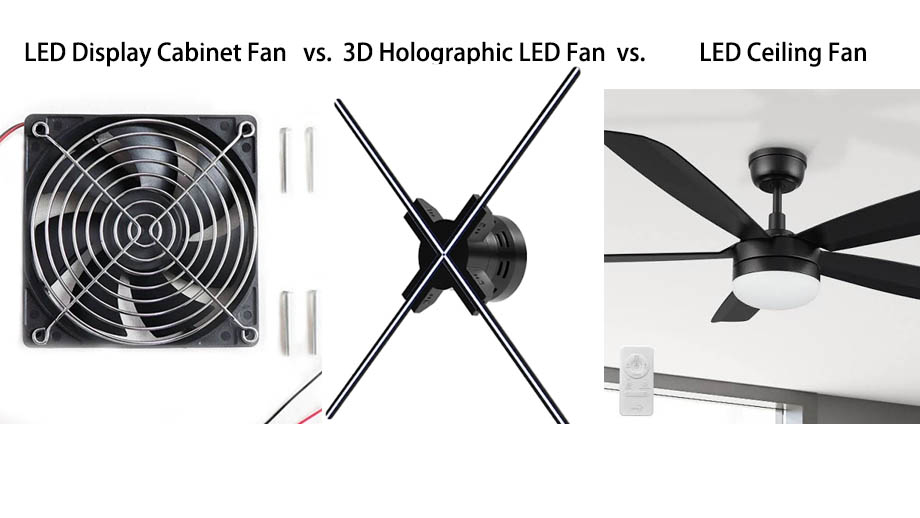
When the surrounding environment is too high, you can let the LED display add heat sinks and fans to speed up the heat dissipation of the LED display to avoid flickering problems in the LED display.
Control environmental humidity
Try to place the LED display in a suitable humidity environment, the humidity range is generally 40~60%, not too high or too low, to avoid damage to the LED display.
Regularly clean the LED display
We can use professional cleaning tools, such as: cleaning cloth, cleaning special brushes, etc., with cleaners to clean the LED display, to ensure that the LED display is free of foreign objects and impurities.
The solution of the LED display itself
Replace aging or damaged components
If the LED beads or modules in the LED display appear to be aging, then you can use a suction cup device to replace the LED beads, or use a spare LED module for replacement. Make sure that the LED display can present a normal picture.
Repair or replace the faulty driver chip and circuit board
When the driver chip and circuit board in the LED display are faulty, you can try to repair and replace them. Repair requires professional repair tools and techniques, you can seek professional guidance. If repair is not possible, then it is recommended to replace the driver chip and circuit board.
Repurchase a new LED display
If the LED display has multiple component failures, or if it has been used for too long and the overall aging occurs, then you can reconsider purchasing a new LED display.
Refresh rate and device compatibility
It is important to first confirm that the refresh rate setting on the LED display is correct. Then, check the display settings of the device to make sure that the refresh rate on the LED display is compatible with that of the device. If it doesn’t match, then you have to manually adjust the device to arrive at a compatible state to avoid flickering LED display problems.
Summarize
When the LED display flickering problem occurs, there is no need to panic and worry. You can find out the cause of flickering LED display through systematic investigation, and then further take corresponding measures to solve and repair. I hope this article is helpful to you, if you are in the LED display, but also encountered other problems, you can contact JYLED, we will provide you with professional services.