



Novastar MCTRL600 Basic Specifications
Dimensions: 18.98 inches × 10.57 inches × 1.75 inches
Net Weight: 2500g
Resolution: 1920 × 1200 @ 60Hz
Maximum Output Width: 3840 × 600 @ 60Hz
Maximum Output Height: 548 × 3840 @ 60Hz
Operating Environment: Temperature: -20°C to 60°C, Humidity: 10% to 90% RH
What Is The Novastar MCTRL600?
The Novastar MCTRL600 converts signals from computers and other devices into formats and signals specifically designed for LED displays through its own processing system. It serves as the signal hub connecting signal source devices to JYLED LED displays.
Additionally, the MCTRL600 Novastar offers strong compatibility, supporting multiple resolution conversions to prevent image distortion or blurring on LED displays.
It can accept and convert formats and signals from various electronic devices, allowing you to easily adjust the content displayed on JYLED LED screens.
Interface Types of Novastar MCTRL600
The rear panel of the Novastar MCTRL600 features numerous interfaces. What are the main types of these interfaces, and what are their functions? Let’s explore the interface types of the MCTRL600 in detail based on the following descriptions!
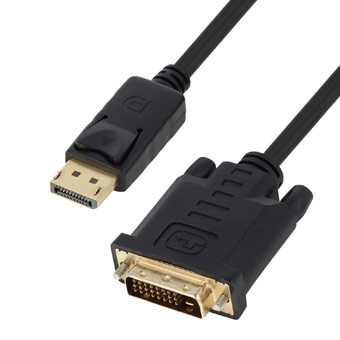
The SL-DVI interface serves as a unidirectional input port for the Novastar MCTRL600. It supports a maximum width and height of 3840 pixels, with a total pixel count not exceeding 2,300,000. This interface typically connects to professional cables linking electronic devices such as computer graphics cards and projectors.
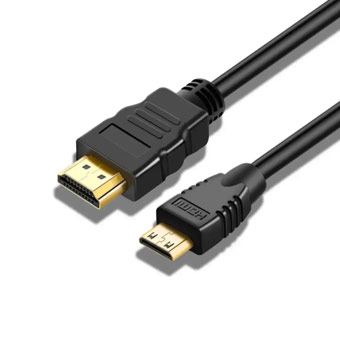
The HDMI interface is a high-end input port that simultaneously handles both audio signals and video formats from source devices. All input signals are uncompressed, preventing loss of original signals and ensuring no distortion in the images displayed on the JYLED LED screen connected to the MCTRL600 Novastar.
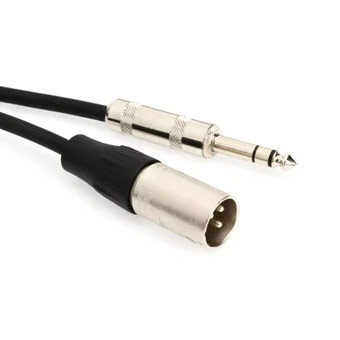
The AUDIO interface serves as an input port for audio devices such as speakers and recorders. The MCTRL600 processes audio signals from these devices through advanced algorithms, enabling playback on the integrated audio system of JYLED LED displays.
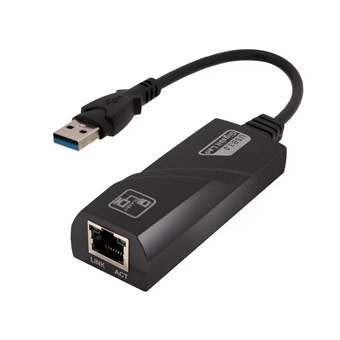
The RJ45 Gigabit Ethernet port serves as the core interface connecting the Novastar MCTRL600 to LED displays. It supports driving displays with up to 2.3 million pixels and enables port-to-port redundancy, enhancing the MCTRL600’s reliability and backup functionality.

The LIGHT SENSOR is a functional interface on the Novastar MCTRL600, typically connected to a light probe. It monitors ambient light signals around the LED display, converting them into digital signals to enable automatic brightness adjustment on JYLED LED displays.
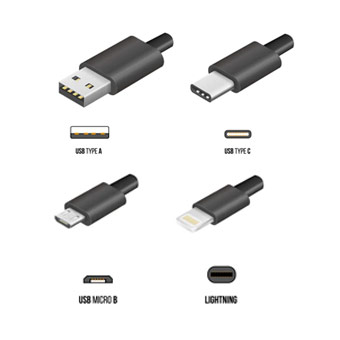
The MCTRL600 primarily uses a Type-B square USB connector to prevent performance degradation caused by incompatible cables. With a 480Mbps transfer rate, it enables efficient control of LED displays.
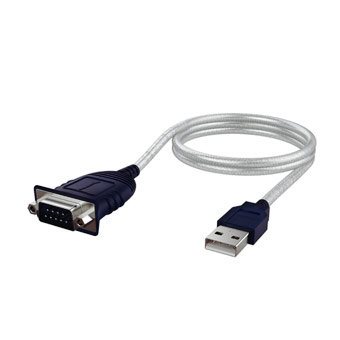
The UART IN/OUT on the Nova MCTRL600 serves as a control interface for input or output when cascading multiple devices. It supports cascading up to 20 units, enabling synchronized signal processing between devices to enhance your management efficiency of JYLED LED displays.
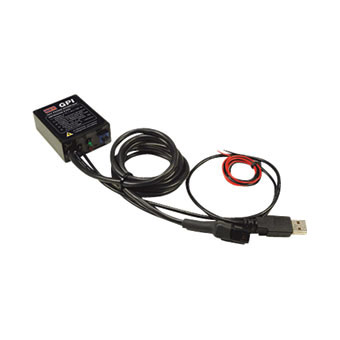
The MCTRL600 Novastar’s power interface operates stably on 100V~240V AC, ensuring this LED video processor adapts to voltages worldwide and eliminating the need for additional voltage regulators.
Features of Novastar MCTRL600

The Novastar MCTRL600 boasts powerful computing and signal conversion capabilities, capturing video sources with 8-bit, 10-bit, or even 12-bit dynamic depth. This enables JYLED manufactured LED displays to present complete images with richer detail.

The Novastar MCTRL600 adjusts the brightness and color of each pixel on the LED display. This ensures uniformity and consistency in overall brightness and color across the entire display, eliminating noticeable bright lines, dark lines, and color differences to enhance screen image quality.

While traditional processors can only receive a single signal format, the Novastar MCTRL600 supports multiple formats including YCrCb4:2:2, YCrCb4:4:4, and RGB4:4:4 formats, simplifying operation and control of LED displays.

The Novastar MCTRL600’s custom resolution capability offers exceptional flexibility and compatibility. It handles diverse resolution sources like 2K, 4K, and 8K while adjusting JYLED display resolutions for an outstanding viewing experience.

Equipped with an advanced image processing system, the Novastar MCTRL600 enables a range of sophisticated operations on LED display images, including scaling, enlarging, overlaying, fading, and rotating. This capability enriches your projects with vibrant and dynamic visual content.

Constructed with a rugged housing and premium internal hardware paired with an optimized circuit system, the Nova MCTRL600 delivers exceptional durability and reliability, ensuring long-term, stable operation of this LED video processor.
Novastar MCTRL600 Achieves Ultra-Smooth Synchronized Display
Utilizing intelligent algorithms and a synchronized processing system, the Novastar MCTRL600 simultaneously receives signals from various device models.
It centrally processes parameters such as resolution and frame rate before synchronizing the optimized information to JYLED LED displays via a unidirectional channel.
This effectively eliminates screen fragmentation, stuttering, and latency, delivering a seamless and comfortable viewing experience.


Dual Path Backup for Novastar MCTRL600
The MCTRL 600 features two internal storage paths. When transmitting signals, the device automatically stores them in video files and outputs signals via the primary path.
Should the primary path encounter any abnormalities, the Novastar MCTRL600 automatically switches to the secondary path.
It then transmits the stored video file through this secondary path to the LED display, ensuring stable and uninterrupted content display on JYLED’s LED screens. This delivers a seamless viewing experience.
What Value-Added Services Can You Receive When Purchasing The Novastar MCTRL600 from JYLED?


When you purchase the Novastar MCTRL600 from JYLED, you gain priority access to our exclusive customer technical support channel, helping you rapidly deploy related projects.
Additionally, JYLED provides unlimited remote technical services. When used in conjunction with the Novastar 600 and dedicated LED control software, connected LED displays achieve significantly enhanced visual performance.
Application Scenarios for Novastar MCTRL600
Nova MCTRL600 is typically used in conjunction with LED displays and signal source equipment, playing a significant role in the following scenarios.
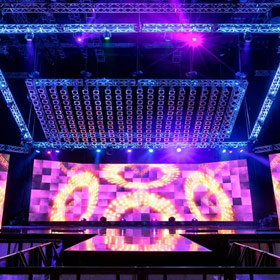
When applied to stage performances, Novastar MCTRL600 controls JYLED LED displays to switch between different images in sync with music and lighting changes, delivering an immersive visual and auditory experience for audiences.
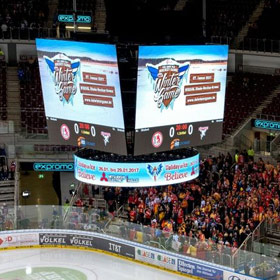
In sports arenas, the Nova MCTRL600 frequently adjusts split-screen displays and color depth on LED screens. This enables spectators to intuitively grasp the status of different events or teams, enhancing the overall viewing experience.
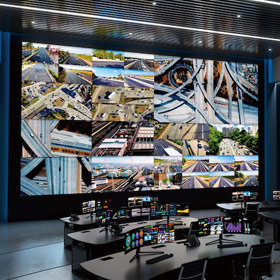
In monitoring centers, the Novastar MCTRL600 adjusts the overall resolution and zoom clarity of JYLED LED displays, improving staff monitoring efficiency and enabling timely implementation of social rescue measures.
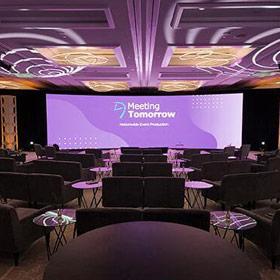
During corporate meetings, the Novastar MCTRL600 integrates data from multiple computers onto the LED display. This enables employees and executives to quickly grasp monthly work progress and company status, facilitating timely adjustments to strategic directions.
Connection Indicators for Novastar MCTRL600
The front panel of the Novastar MCTRL600 features a power switch and red and green indicator lights. These lights flash at different frequencies to help you monitor and verify the connection status of this LED video processor.

To determine if the MCTRL 600 has a video source input, observe the flashing frequency of the green indicator light. When flashing 4 times per second, a signal source device is connected. When flashing once every 2 seconds, no video, audio, or other signals are input.

Use the red indicator light to verify if the Novastar MCTRL600 is connected to power. A steady red light indicates normal power connection. If the light is off, no power is connected or there is a power supply issue.
The processing system of the Novastar MCTRL600 undergoes continuous upgrades with technological advancements. Therefore, it is compatible with and supports the new generation of Novastar calibration technology, ensuring LED displays manufactured by JYLED achieve optimal display performance.
If you wish to use the MCTRL 600 LED controller with no Novastar LED receiver cards, you must verify whether the MCTRL600 is compatible with such cards. If incompatible, the MCTRL600 must be used exclusively with Novastar LED receiver cards.
Yes, but compatibility and performance with third-party software cannot be guaranteed. Some third-party software may restrict access to certain features and tools. If you insist on using third-party software, please contact JYLED’s technical team via the contact form on our website to ensure the Novastar 600’s compatibility and access rights are not compromised.
Connect the MCTRL600 to a computer running NovaLCT software. Use the diagnostic and troubleshooting tools within NovaLCT to identify and resolve problems encountered when the LED display operates with the MCTRL600. If issues persist after troubleshooting, contact JYLED technical support for assistance.
Connect the Novastar 600 to a computer via cable. Download and launch the NovaLCT software on the computer. Navigate to the “Device Information” tab to access the MCTRL600’s firmware version and other relevant details.
Download the latest MCTRL600 firmware file from the JYLED official website to your computer. Connect the MCTRL600 to your computer using its Type-B USB port. Launch the NovaLCT software on your computer, locate the “Device Update” section, select the downloaded new firmware file, and follow the on-screen instructions to complete the firmware update process.
Do not shut down your computer during the firmware update to prevent data loss or corruption.
If your Nova MCTRL600 firmware exhibits performance degradation, incompatibility, or other abnormalities, first verify that the MCTRL600 firmware is updated to the latest version. If issues persist after updating, contact JYLED directly. Our technical support team will provide satisfactory solutions for your Nova MCTRL600.
How To Use The Novastar MCTRL600 to Control JYLED LED Displays?
First, connect the LED display’s control card to the Novastar MCTRL600’s RJ45 Gigabit Ethernet port using an Ethernet cable. Then connect the signal source device (such as a computer) to the MCTRL600’s HDMI port using an HDMI cable.
After ensuring all cables are correctly connected, download the relevant LED control software (NovaLCT) from the JYLED official website onto your computer. Follow the corresponding instructional videos to operate the software, enabling you to effectively use the MCTRL600 Novastar to control your JYLED LED display.
Should you encounter any difficulties or feel unsure during setup, contact JYLED via the form on the right. Our professional technical team will provide remote guidance and assistance to resolve any issues with using the Novastar 600.