



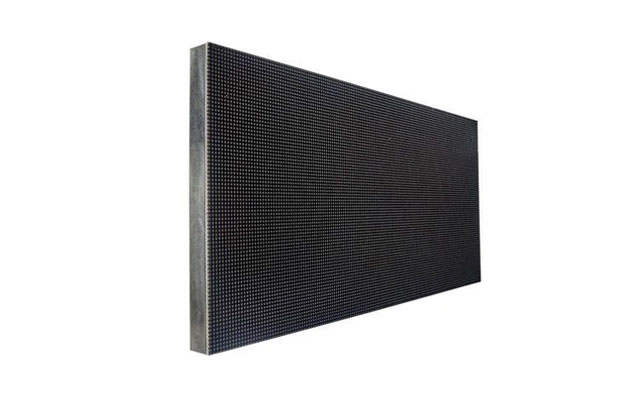
P1.538 LED module
- Pixel Pitch: 1.538mm
- Module Size: 320*160mm
- Module Resolution: 208*104
- Reflesh Rate:3840Hz
- Brightness:400 cd/m2
- CE,RoHS,FCC Approved
- 2 Years Warranty
- P1.538 LED module Data Table
- P1.538 LED module Vidoeo Explanation
- Document Download
| Item | Technical parameter | |
| Panel | Dimension | (W)320*160mm(H) |
| Pixel pitch | 1.538mm | |
| Pixel Density | 422500/ M2 | |
| Pixel configuration | 1R1G1B | |
| LED specification | SMD1212 | |
| Pixel resolution | (W)208*104(H) | |
| Average power | 22.5W | |
| Panel current | 4-4.5A | |
| Panel weight | 0.29KG | |
| Cabinet | Humidity | 10%-95%RH |
| Hub connecting | HUB75E | |
| Best viewing angle | Horizontal >170 Vertical>120 | |
| Best viewing distance | 1.5–20M | |
| Working temperature | -20-+60 | |
| Panel power supply | 5V40A | |
| Screen power supply | 220VAC/50HZ+_10% | |
| Max power | <600W/m² | |
| Average power | 240W | |
| Power quantity | 200W/6PCS | |
| Driving device | Constant current drive | |
| Technical parameter | Drive type | 1/48 Scanning |
| Refresh frequency | 3840HZ/S | |
| Display color | 4096*4096*4096 | |
| Brightness | 400cd/M2 | |
| Life span | 100000Hours | |
| Communication distance | <100M | |


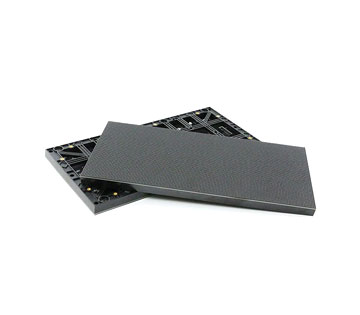


2026 P1.538 LED Module Buying Guide: Specifications, Pricing, Viewing Distance, and Resolution
If you’re planning to install a high-definition LED screen in an indoor space, the P1.538 LED module is a high-definition option you definitely shouldn’t miss. It delivers a crisp, detailed image and is ideal for indoor environments.
So, how do you choose the right P1.538 LED module for your project? This article introduces the key specifications and advantages of the P1.538 LED module, as well as how it compares with other modules, to help you make a well-informed decision.
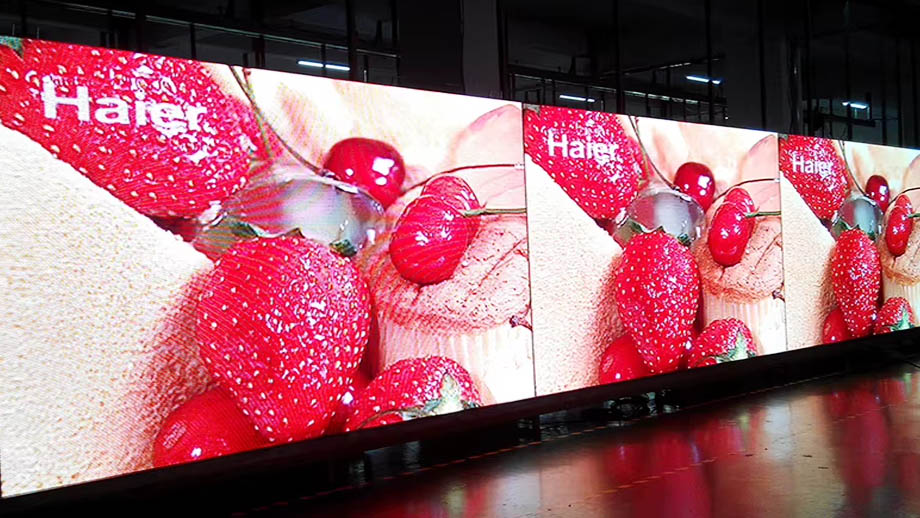
What Is a P1.538 LED Module?
A P1.538 LED module is an LED module with a pixel pitch of 1.538 mm. It falls into the category of fine-pitch LED modules. The main reasons fine-pitch LED modules are well suited to indoor environments are as follows:
- The detailed imagery is ideal for close-up viewing.
- The soft light from the screen does not cause glare for viewers.
- The modular installation adapts to various indoor spaces.
Which Projects Is the P1.538 LED Module Suitable For?
If your project meets the following requirements or conditions, the P1.538 LED module is a suitable choice:
- The audience’s closest viewing distance is approximately 1.5 meters.
- The display needs to show detailed advertisements, tables, and text, or it will be used in professional display scenarios that require high image clarity.
- The content displayed on the screen needs to be recorded.
Which Projects Is the P1.538 LED Module Not Suitable For?
If your project has any of the following conditions or requirements, we do not recommend purchasing the P1.538 LED module:
- The displayed content is relatively simple, such as only a few large text characters or simple icons.
- The project budget is limited, in which case you may want to consider options with a slightly larger pixel pitch.
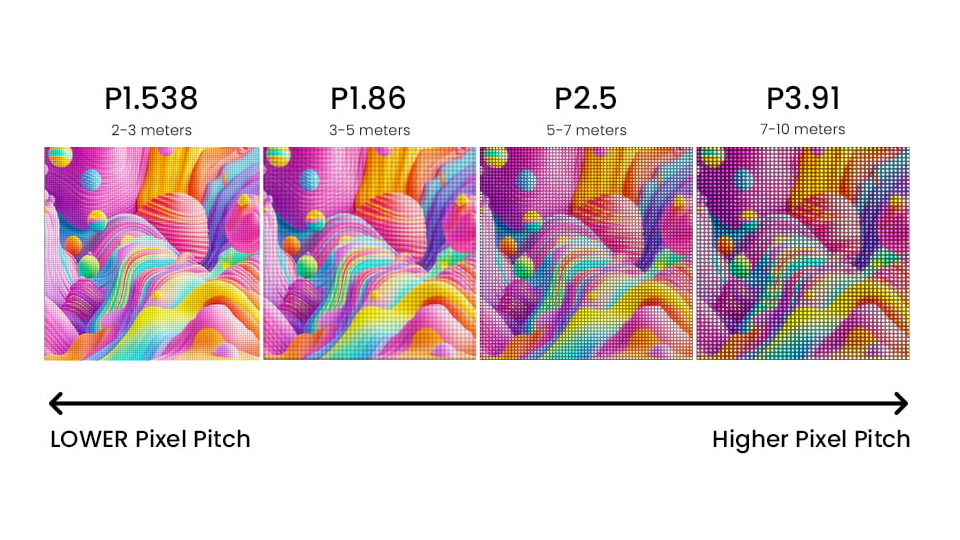
What Advantages Does the P1.538 LED Module Offer?
High-Density Pixels for Detailed Image Display
This module achieves a pixel density of 422,500 pixels per square meter, resulting in exceptionally rich image detail.
For example, when displaying the same content on a 1-square-meter screen, a 4-megapixel panel will provide more detail and better image quality than a 2-megapixel panel. The image will also appear smooth and free of graininess, even when viewed up close.
Capture High-Refresh-Rate Images Without Scan Lines
If the refresh rate of your installed screen is too low and the screen is intended for filming, such as an LED screen in a studio or at a product launch event, scan lines may appear in the camera footage. This not only affects the viewer’s experience but may also damage your brand’s reputation.
When purchasing this P1.538 LED module from JYLED, you can choose a screen with a refresh rate of 3,840 Hz or even 7,680 Hz. High-refresh-rate LED panels ensure a clear and smooth image when captured by a camera.
Wide Viewing Angles Support Large-Scale Content Displays
Standard P1.538 LED modules offer a viewing angle of 160° both vertically and horizontally, while modules using COB packaging technology can achieve a viewing angle of up to 170°.
The wide viewing angle is ideal for large-scale displays because it ensures that viewers seated on either side of a long, narrow screen can see the content clearly and without color distortion.
Adjustable Brightness Balances Clarity and Viewing Comfort
The modules support 100 levels of brightness adjustment, from 0 to 100. If your indoor environment has bright ambient lighting, you can increase the screen brightness to ensure image visibility.
If your indoor environment is dimly lit, you can lower the screen brightness appropriately to provide viewers with a softer, more comfortable viewing experience while maintaining content clarity.
Seamless Tiling in Multiple Sizes
The P1.538 LED module has a standard size of 320 × 160 mm, and the modules can be assembled into 640 × 480 mm LED cabinets.
By installing different numbers of LED cabinets horizontally and vertically, you can create screens with various aspect ratios. For example, screen aspect ratios such as 21:9, 16:9, and 4:3 can all be easily achieved.
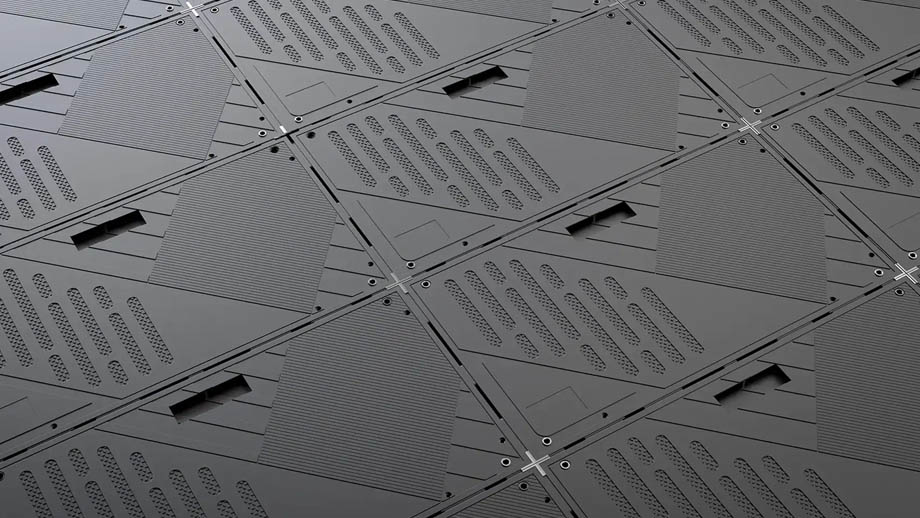
What Is the Optimal Viewing Distance for the P1.538 LED Module?
According to LED display industry standards, the appropriate viewing distance is influenced by the pixel pitch. However, in practical applications, the optimal viewing distance for LED panels is also affected by ambient lighting, viewer comfort, and the content being displayed.
We will analyze the optimal viewing distance for P1.538 indoor LED modules from several perspectives:
- Minimum Viewing Distance: When viewing content displayed on the modules, you should stand at least 1.5 meters away to ensure that the image appears smooth, detailed, and free of graininess.
- Comfortable Viewing Distance: The optimal viewing distance for a screen is 1 to 2 times the numerical value of the pixel pitch in meters. Therefore, the optimal viewing distance for a P1.538 LED module is 1.54 to 3.08 meters.
- Different Viewing Distance Requirements for Videos, Small Text, and Data Charts: When playing videos, a viewing distance slightly beyond the optimal range typically still provides a good viewing experience. However, when displaying content such as small text or data charts, it is best to stay within the optimal viewing distance whenever possible.
- How to Select Pixel Pitch Based on the Minimum Viewing Distance: Generally, when the minimum viewing distance is measured in millimeters, a suitable pixel pitch falls within the range of the minimum viewing distance divided by 2,000 to the minimum viewing distance divided by 1,000.
SMD vs. GOB vs. COB P1.538 LED Modules: Which One Is Best for My Project?
P1.538 LED modules with different packaging processes vary in their advantages, features, and costs. Therefore, we have created a comparison table to help you quickly assess the suitability of these three packaging processes for your project.
| Category | SMD P1.538 LED Module | GOB P1.538 LED Module | COB P1.538 LED Module |
| Packaging Process | Surface-mount packaging | Surface-mount packaging and GOB packaging | Batch-type chip-on-board packaging |
| Number of Packaged Chips | 3-in-1 | 3-in-1 | Multiple |
| Image Texture | Vivid colors; slight graininess when viewed up close | Less graininess than SMD panels | The image remains fine and smooth even when viewed up close |
| Contrast Ratio | 4,000:1–5,000:1 | 5,000:1 | 5,000:1–10,000:1 |
| Viewing Angle | 160° | 160° | 170° |
| Optical Efficiency | Standard | Standard | Higher, with shorter LED chip leads |
| Panel Protection | None | Scratch-resistant, waterproof, and dustproof | Scratch-resistant, waterproof, and dustproof |
| Maintainability | Faulty LEDs can be replaced individually | Faulty modules must be replaced | Faulty modules must be replaced |
| Cost | Lower | Slightly higher than SMD panels | Higher |
If you are purchasing modules solely for use in standard indoor displays, choosing SMD P1.538 LED modules can help reduce costs.
If the installation environment involves frequent close contact or high humidity, we recommend selecting GOB P1.538 LED modules.
If your project has a sufficient budget and you want a more detailed image with a wider viewing angle, we recommend choosing COB P1.538 LED modules.
P1.538 vs. P1.667 vs. P1.86 LED Modules: A Comparison
In addition to P1.538, P1.667 and P1.86 are also suitable small-pitch modules for indoor use. So, which of these three modules is best suited to your project? Let’s look at the comparison table below:
| Category | P1.538 LED Module | P1.667 LED Module | P1.86 LED Module |
| Pixel Pitch | 1.538 mm | 1.667 mm | 1.86 mm |
| Pixel Density | 422,500 pixels/m² | 359,856 pixels/m² | 289,050 pixels/m² |
| Standard LED Module Dimensions | 320 × 160 mm | 320 × 160 mm, 200 × 150 mm | 320 × 160 mm |
| Optimal Viewing Distance | 1.54–3.08 meters | 1.67–3.34 meters | 1.86–3.72 meters |
| Scan Mode | 52S | 45S, 48S | 43S |
| Peak Brightness | 750 nits | 750 nits | 750 nits |
| Average Power Consumption | 240 W/m² | 240 W/m² | 240 W/m² |
| Cable Specifications | 16-pin | 16-pin, 24-pin | 16-pin |
| Price | Starting at $1,265/m² | Starting at $1,045/m² | Starting at $845/m² |
Can P1.538 LED Modules Be Used to Build 1080p and 4K Screens?
We typically use six 320 × 160 mm P1.538 LED modules to assemble a single 640 × 480 mm LED cabinet and then combine multiple LED cabinets to achieve the desired screen size. Therefore, it is entirely feasible to use P1.538 LED modules to build a 1080p or 4K screen.
How Much Does It Cost to Install a 1080p Screen Using P1.538 LED Modules?
1080p = 1,920 × 1,080 pixels, while a single LED cabinet has 416 × 312 pixels.
This means that the number of LED cabinets required horizontally is 1,920 ÷ 416 = 4.62 ≈ 5.
The number of LED cabinets required vertically is 1,080 ÷ 312 = 3.46 ≈ 4.
Installing a 1080p screen requires 4 × 5 = 20 P1.538 LED cabinets, with a total screen area of 640 × 480 mm × 20 = 6.144 m².
Therefore, the cost of installing a 1080p screen using P1.538 LED modules, based on the lowest price, is 6.144 × 1,265 = $7,772.16.
How Much Does It Cost to Install a 4K Screen Using P1.538 LED Modules?
4K = 3,840 × 2,160 pixels. The number of LED cabinets required horizontally is 3,840 ÷ 416 = 9.23 ≈ 10.
The number of LED cabinets required vertically is 2,160 ÷ 312 = 6.92 ≈ 7.
Installing a 4K screen requires 10 × 7 = 70 LED cabinets, and the total screen area is 640 × 480 mm × 70 = 21.504 m².
Therefore, the cost of installing a 4K screen using P1.538 LED modules, based on the lowest price, is 21.504 × 1,265 = $27,202.56.
Note: The screen procurement costs above include only the LED modules and do not include controllers, power supplies, cables, structural supports, or other accessories.
What Factors Should Be Considered When Purchasing and Installing P1.538 LED Modules?
If you are considering purchasing P1.538 LED modules to install an indoor display, you should consider the following issues:
- Purchase All Modules from a Single Batch Whenever Possible: The light emitted by the RGB chips in LEDs is related to their wavelengths. Different batches of LEDs may have a tolerance of 10 to 20 nm in their emission wavelengths, which can result in color variations between modules. Therefore, for a single project, we generally recommend purchasing all LED modules at once to ensure a high level of color consistency.
- Select an Installation and Maintenance Method: Please provide us with details about your installation environment and display requirements so that JYLED’s engineers can help you choose the most suitable installation method for your specific circumstances, such as wall-mounted, floor-standing, or suspended installation. The right installation method not only delivers optimal display results but also helps you save on installation costs.
- Screen Aspect Ratio: Different screen aspect ratios are suited to different types of content and offer different viewing experiences. For example, a 21:9 screen is suitable for creating an immersive background display in a theater, while a 16:9 screen is ideal for showing movies. Therefore, you should select the appropriate screen aspect ratio based on your specific needs.
- Number and Brand of Power Supplies: Based on the power supply’s load capacity and the modules’ power consumption specifications, a single LED cabinet typically requires 1 to 2 power supplies. Choosing a high-quality power supply brand, such as Mean Well, ensures more stable screen operation.
- Number of Receiver Cards and Load Capacity: Purchasing receiver cards that are compatible with your project ensures stable signal transmission and helps reduce unnecessary costs. If you prefer not to calculate the load capacity yourself, you can choose the receiver card procurement solution provided by JYLED.
- Selection of Video Processors: If you have a sufficient budget and prioritize load capacity and quality, you can choose NovaStar LED video processors. If you are more concerned about cost-effectiveness, Colorlight video processors are a good option.
Other Installation Precautions
- When installing LED panels, workers should take care not to bump or damage them.
- LED panels can be adjusted slightly during installation to ensure screen uniformity and flatness.
JYLED Case Study: Installation of P1.538 LED Modules
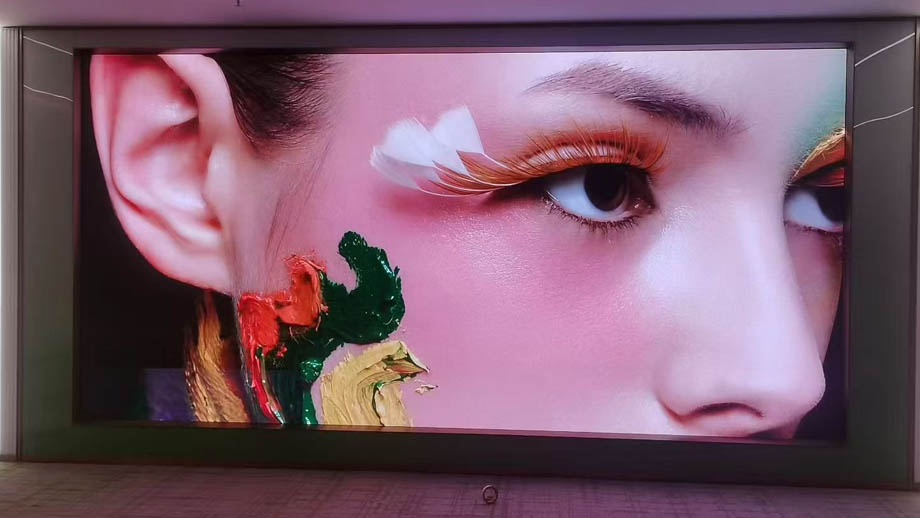
Below is a display that JYLED installed in 2025 for a high-end business conference room:
- Project Location: Shenzhen, China.
- Project Date: May 19, 2025.
- Installed Modules: 320 × 160 mm LED modules and 640 × 480 mm LED cabinets.
- Screen Specifications: A total of 8 × 5 LED cabinets were used, providing a total screen area of 12.288 m² and a screen resolution of approximately 5.2 million pixels.
- Controller: NovaStar V10, with a load capacity of 6.5 million pixels.
- Project Cost (excluding labor and accessories): $18,432.
What Are the Applications of P1.538 LED Modules?
- Command Centers: LED screens built with P1.538 LED modules ensure the clear and complete display of content through their high pixel density. Their low power consumption and minimal heat generation also support continuous operation over long periods, helping ensure that command personnel do not miss any visual information.
- TV Studios: In addition to displaying content for a live audience, studio screens must be recorded by cameras, processed in post-production, and transmitted to viewers on other media platforms. Therefore, high-refresh-rate LED panels are required to prevent scan lines from appearing in recorded footage. P1.538 LED modules support a maximum refresh rate of 7,680 Hz, meeting this requirement.
- Home Theaters: The optimal viewing distance for the P1.538 LED module is 1.54 to 3.08 meters, which is well suited to home theater spaces. It delivers clear, smooth, and color-accurate movie images for you and your family.
Summary
The P1.538 LED module is suitable for indoor projects with a viewing distance of approximately 1.5 to 3 meters. It delivers a clear image with no noticeable pixelation, even when viewed up close. For standard indoor projects, SMD is a good choice. For projects that prioritize protection, GOB is recommended. For those seeking high-end image quality, COB is the best option.
If your event’s viewing distance exceeds 3 to 4 meters or your budget is limited, consider the P1.667 or P1.86 models.
After prolonged operation, LED modules may exhibit slight color discrepancies. You can use color calibration software and a camera to perform full-screen calibration on the LED display, ensuring consistent brightness and color across all LED modules.
Flickering or scan lines on the display may be caused by unstable power connections or signal issues. Check the screen’s cable connections to troubleshoot the problem.
Generally, once P1.538 LED modules are installed to form a screen, you can periodically power them down for cleaning based on dust accumulation and the operating environment. In dusty environments, we recommend using COB or GOB LED panels, which can be gently wiped with a cleaning cloth on a regular basis.
After prolonged operation, it is advisable to shut down the screen for about an hour to allow the internal electronic components to cool down quickly, thereby helping to maintain their condition.
We recommend setting aside 5% of the total number of modules as spares for each project. Although LED modules rarely fail, having spares on hand allows you to replace any faulty modules immediately in the event of an unexpected issue, thereby preventing screen downtime or display malfunctions that could damage your brand’s reputation.
The price of a single P1.538 LED module starts at approximately $70.
Sometimes, users refer to P1.538 LED modules simply as “P1.5 LED modules,” but a “P1.5 LED module” does not necessarily mean a P1.538 LED module; it could also refer to a P1.5625 LED module.