LED video walls are typically paired with corresponding LED wall processors to control and display images.
Selecting the right processor has a significant impact on a project’s presentation quality; an efficient and well-suited LED wall processor ensures flawless content display across various scenarios, including advertising, security surveillance, and corporate events.
Therefore, this guide covers every aspect of LED wall processors—from principles to features, and from brands to installation—to help you select the processor that best suits your display project.

What Is an LED Wall Processor?
An LED wall processor, also known as an LED wall controller, is a device used to receive and process video signals from various sources (such as computers, cameras, and media players) before sending them to the receiving card for LED Displays.
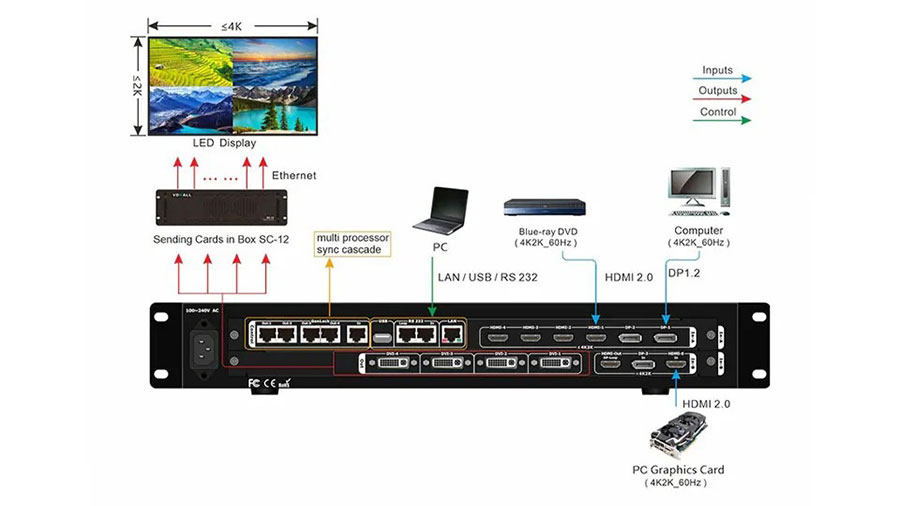
How an LED Wall Processor Works
After receiving the source signal, the LED wall processor performs operations such as format conversion, color correction, image scaling, and image enhancement. It then outputs a signal that meets the requirements of the LED receiver card.
The receiver card reads and decodes this signal to control the pixels on the LED modules, displaying the intended content.
Features of LED Wall Processors
Stable and Reliable
As the core of data processing and transmission, LED wall processors typically utilize high-performance processing chips such as FPGAs and ASICs to provide robust pixel loading capacity, along with high-quality power supply modules to ensure stable operation.
The device features a high degree of component integration and excellent overall performance. High-end processors can efficiently and stably transmit data continuously, even when processing multiple source signals simultaneously.
Simple and Quick
LED wall processors support two control modes: direct adjustment via buttons on the processor itself, or control through computer software.
In addition, since most modern LED wall processors have built-in Wi-Fi modules, users can connect their smartphones to the processor’s network and adjust settings via a mobile app, making control even more convenient and efficient.
Instant Response
LED wall processors primarily offer three modes: Bypass Mode, Video Control Mode, and Fiber Optic Conversion Mode.
In Video Control Mode, processing operations such as image scaling may cause a delay of 1–2 frames in the screen display; however, this is virtually imperceptible to the naked eye and does not affect the display quality. In contrast, the other two modes have virtually zero latency.
Multi-Resolution Support
The LED video wall processor features multiple signal source interfaces, enabling it to receive signals from multiple sources simultaneously and process them either internally or via the software interface.
Depending on project requirements, content sources can be adjusted to various resolutions, such as 1920×1080 px @ 60 Hz, 4096×2160 px @ 60 Hz, and so on.
What Features Do LED Wall Processors Offer?
Image Resizing
When the LED wall processor is switched to video control mode, it can scale and adjust the input image. If the image exceeds the maximum pixel count supported by the LED video wall processor, it will automatically be scaled down to a resolution supported by the processor and displayed normally on the screen.
Improved Display Quality
High-end LED video wall processors feature powerful image enhancement technologies. Using advanced algorithms, they can perform a series of operations—such as edge sharpening and motion compensation—on low-quality video signals, which is fundamentally different from simple adjustments to brightness and contrast.
Additionally, they can enhance image details and improve picture quality, further elevating the quality of the displayed images.
Multi-Signal Switching
LED video wall processors not only support multiple signal inputs but also allow for switching between signal sources based on project requirements. For example, in a broadcast studio, the processor can be connected to three different signal sources simultaneously.
As the host shifts topics, the content displayed on the LED screen is quickly updated via the processor’s signal source switching to match the current topic.
Multi-Screen Display
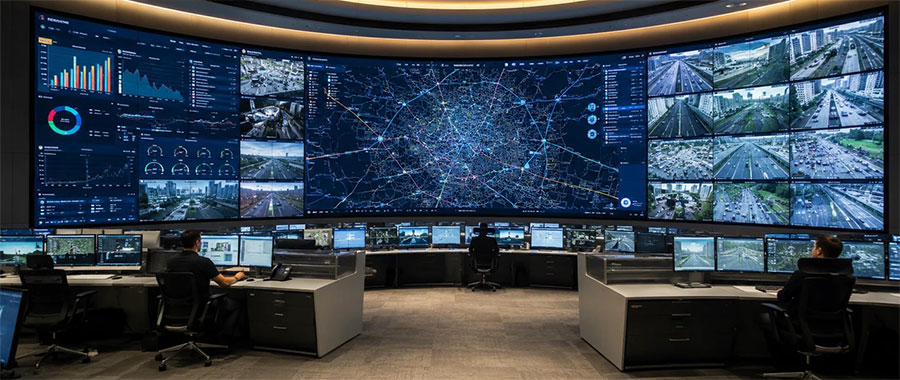
Using video control mode, the LED video wall processor adjusts screen dimensions to display multiple images—whether identical or different—simultaneously on a single LED video wall.
Depending on the adjustment mode, there are typically two display formats: one is the side-by-side multi-screen mode, which divides the LED screen into multiple equal or proportionally sized regions, each displaying different or identical content; the other is Picture-in-Picture (PIP) mode, which superimposes one or more sub-windows on the main screen to display different content—commonly known as Picture-in-Picture.
Remote Access and Collaboration
Most LED wall processors currently on the market support remote access and simultaneous multi-user collaboration through the processor brand’s proprietary server platform.
This provides greater flexibility for teams that frequently change venues and cannot be on-site in a timely manner, or for teams that need to control the displayed content.
Preset Playback Settings
The processor supports storing custom settings for reuse, saving time on adjusting the LED screen.
You can use the software provided by the LED video wall processor brand to pre-configure various playback modes (including image parameters, automatic carousel, scheduled switching, etc.) and save them.
Once configured, you can quickly switch between modes at any time using the buttons on the processor panel, or have the software execute them automatically according to the preset schedule.
However, the panel buttons on most processors cannot directly modify timing settings; precise timing adjustments must be made via the software.
What are some brands of LED wall processors?
Below, we’ll introduce the three processor brands listed in the table above and their representative product series.
Novastar
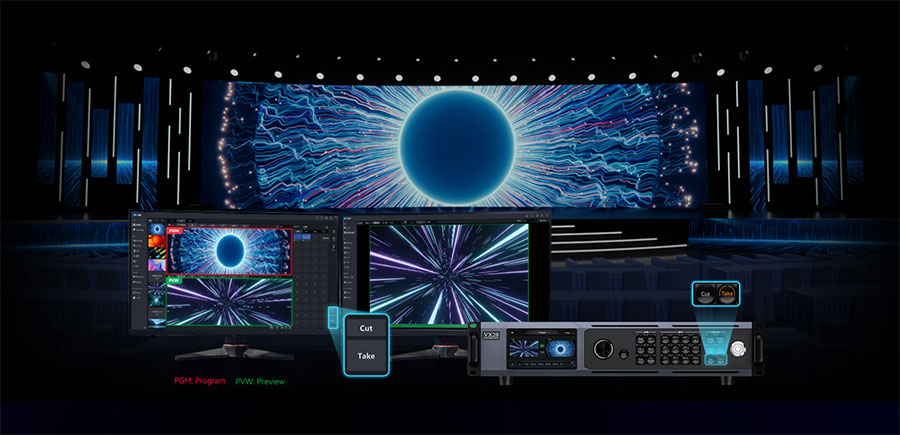
Novastar enjoys the highest brand recognition among LED wall processors. While its products are relatively more expensive, they offer exceptional quality and performance, earning the trust of customers in regions such as Europe and the Americas.
Among Novastar’s many processor models, the VX series is widely popular and is commonly used for mid- to high-end rental screens, stage screen control, or fine-pitch LED displays.
Colorlight
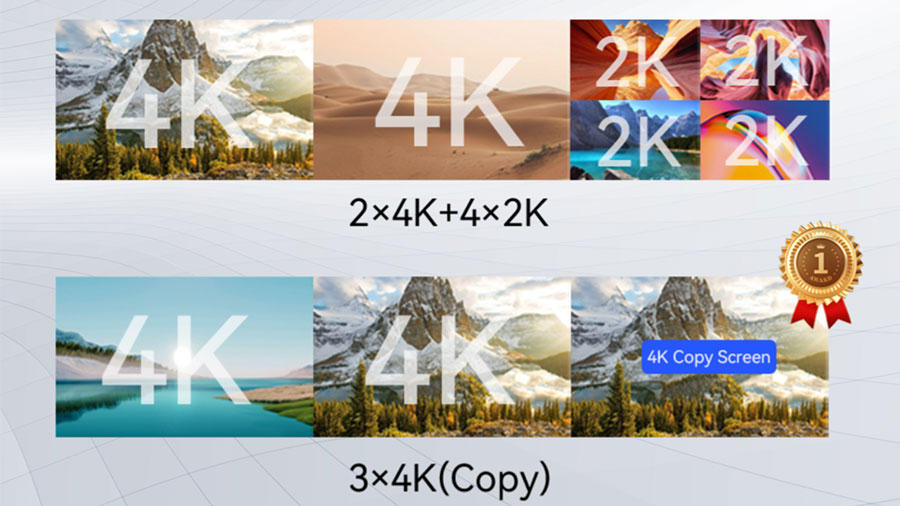
Colorlight offers a wide variety of processor models to suit various scenarios and needs, and enjoys higher brand recognition and adoption in Southeast Asian countries. Among these, the VX series is a best-seller with a very broad user base.
Compared to Novastar processors, Colorlight processors offer better value for money, and their products are commonly used in high-definition display scenarios such as LED screens in commercial centers, background screens for large-scale events, or LED screens in broadcast studios.
Huidu
Huidu processors are renowned for their high cost-effectiveness, and their affordable prices have made them widely popular in Africa.
The mainstream model of Huidu LED wall processors is the HD-VP series, most of which support powerful asynchronous playback capabilities, making them ideal for commercial advertising and small-to-medium-sized conference settings.
Comparison Table of LED Wall Processor Brands
Currently, well-known LED wall processor brands on the market include Novastar, Colorlight, and Huidu. The table below summarizes the basic specifications of these mainstream brands and their popular series.
| Brand | Novastar (VX Series) | Colorlight (VX Series) | Huidu (HD-VP Series) |
| Load Capacity | 2.6 million–13 million pixels | 3.9 million–13 million pixels | 1.3 million–26 million pixels |
| Maximum Number of Input Ports | 11 | 10 | 7 |
| Output Ports | Ethernet, HDMI, and OPT output | Gigabit and 10-Gigabit Ethernet | Gigabit Ethernet, fiber optic, and AUDIO |
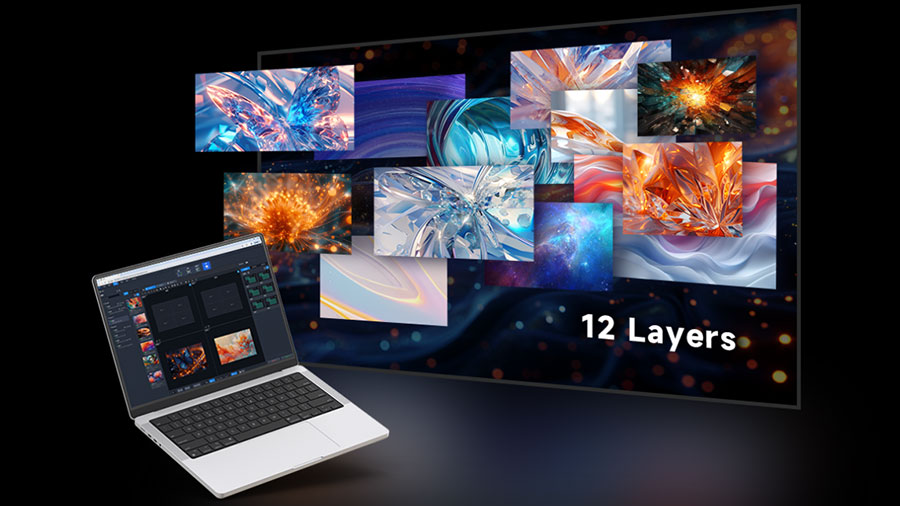
| Maximum Number of Layers | 12 | 6 | 6 |
| Synchronous and Asynchronous Playback | Supports synchronous playback only | Supports synchronous playback only | Supports both synchronous and asynchronous playback |
| Maximum Dimensions | Width: 16,384 Height: 8,192 | Width: 16,384 Max Height: 8192 | Max Width: 32768 or Max Height: 32768 |
| Max Number of Preset Scenes | 256 | 1000 | 16 |
| Price | $850 – $2,500 | $580 -$5,900 | $110-$2,756 |
What to Consider When Choosing an LED Wall Processor
When selecting an LED wall processor, there are several additional details that require your attention, which we will detail below.
Compatibility with Input Sources and Screens
You can check the model and specifications of the LED video wall processor on its official website to ensure it supports the input interfaces you plan to use, such as HDMI, USB, or DVI.
You should also verify that the processor’s maximum pixel load capacity exceeds the LED screen’s actual physical resolution to ensure clear image display.
Of course, you can also consult our online customer service team directly for assistance in evaluating the compatibility between the processor’s performance and your project requirements.
Customization and Usability
You’ll need to consider the image adjustment features the LED video wall processor supports, the number of preset scenes available, and whether it allows for quick selection between different preset modes—to accommodate scenarios where different content types need to be displayed regularly, or playback formats need to be changed rapidly.
Information Security
In certain public or high-security environments, it’s necessary to select a processor equipped with an engineering lock or access control features. This ensures that display configurations or effects cannot be altered arbitrarily and protects personal preset configurations to prevent information leaks.
Investment Costs
When purchasing an LED wall processor, prices vary significantly across different brands and models.
You should consider the project’s lifespan, whether the screen size or maximum resolution will need to be upgraded in the future, and whether the processor can accommodate evolving customization needs down the line. Based on these factors, decide whether to invest in a higher-quality, more expensive processor or opt for an affordable, standard-performance model.
How to Install and Use an LED Wall Processor
Once you receive the LED wall processor, follow these steps for installation and configuration:
- Cable Preparation: Based on the signal source equipment, network input bandwidth, maximum data transmission resolution, and the required cable lengths, purchase Ethernet cables, data cables, and power cables of the appropriate specifications as needed.
- Software download: Visit the official website of the LED wall processor’s manufacturer, locate the relevant control software installation package, and download and install it on your computer to enable subsequent management of screen content playback. The corresponding software for the NovaStar series of processors is NovaLCT or V-Can; other brands also have their own control software (such as Huidu software, Colorlight software, etc.).
- Computer Control: Once the preliminary preparations are complete, first connect the computer to the processor’s control port using an HDMI cable to ensure you can control the LED screen display from the computer.
- Signal Input: Depending on the signal input cables required by different signal sources, select the appropriate cables and connect them to the processor’s input ports to complete the signal source connections.
- Signal Output: If the processor contains a built-in transmitter card, simply connect it to the LED screen’s internal receiver card using an Ethernet cable or fiber optic cable; if it does not contain a built-in transmitter card, you’ll need to connect a standalone external transmitter card (or transmitter box) in series between the processor and the LED display’s receiver card to control the LED display.
- Power Supply: After all the above devices have been connected correctly, turn on the power, turn on the content source devices, the processor, and the LED display, and check whether the control system is operating normally.
Summary
Selecting the right LED video wall processor requires consideration of the project’s budget, display requirements, and long-term objectives. A suitable processor can provide your LED display with greater flexibility and superior, reliable display performance.
If you have any questions regarding the selection or use of LED video wall processors, or if you’d like to choose the most suitable procurement solution for your project, please feel free to contact JYLED’s online customer service.
We will provide you with the most professional service and the highest-quality customized solutions.
FAQs
Can an LED sending card be used instead of an LED video wall processor?
Yes. Although LED sending cards are often included in LED video wall processors, there is little difference in their basic functions.
Both can receive, adjust, and transmit signals to ensure the normal operation of the LED display. In addition to the basic functions of an LED sending card, an LED wall processor offers more precise image adjustments, more convenient scene presets, and support for higher resolutions—though it is also more expensive.
However, if your project has a limited budget and the screen resolution is relatively low, you can simply use an LED sending card. This will ensure the screen’s display quality while effectively reducing project costs.
Does JYLED sell standalone LED wall processors?
Yes. If you already own an LED screen but need a compatible LED wall controller to manage it, please contact our professional customer service team. We will select the most suitable processor for you based on your screen model and project requirements.
What are the commonly used LED wall processor models on the market?
The most common LED video wall processor models on the market are primarily the VX1000 Pro and VX 2000 Pro (Novastar series), HD-VP410H and 410S (Huidu series), and X4m, X8m, and X6 (Colorlight series).
However, when selecting an LED video wall processor model, you should not blindly choose from the options listed above; instead, you need to select the appropriate processor based on your project’s specific requirements.
What accessories are typically used with LED wall processors?
A complete LED display control system usually includes not only the processor and the LED screen but also a user device (such as a computer, smartphone, or tablet) and a receiver card.
If you choose a standalone processor without a built-in transmitter, you’ll need to purchase a transmitter card separately; however, most professional processors on the market today have integrated transmitter functionality, eliminating the need for a separate purchase.
What types of cables are used with LED wall processors?
Video cables (HDMI, DP, DVI, etc.) are used to connect the LED wall processor to the signal source, while Ethernet or fiber-optic cables are used to connect the processor to the LED screen. In addition, an AC power cord is required to supply power to the equipment.