



Installing a clear and bright display in a conference room helps improve meeting efficiency, enhances team members’ intuitive understanding of the meeting, and leads to better meeting outcomes.
Currently, the two most popular options for conference room displays on the market are conference LED displays and projectors. So, which one is better suited for your conference room? Read this article to find out.
What Is a Conference LED Display?
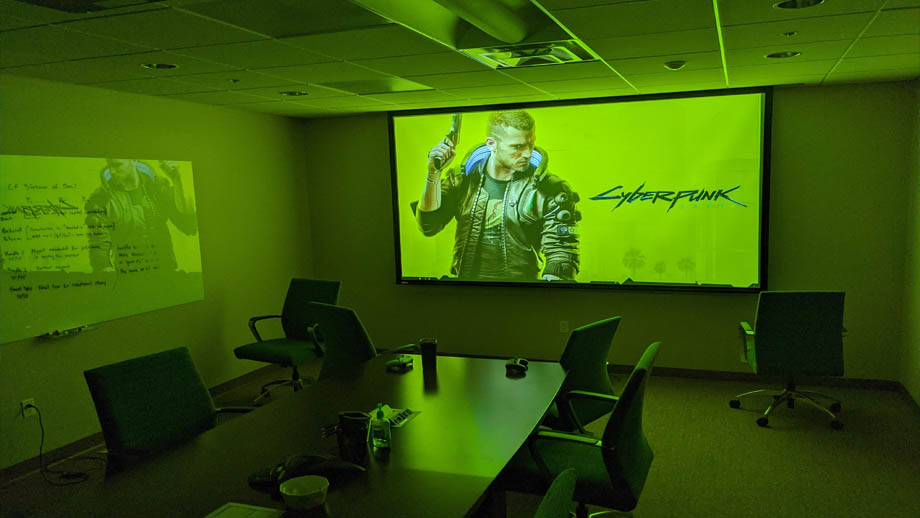
A conference LED display refers to an LED screen customized to the size of the meeting space, ambient brightness, and display requirements, and installed specifically for use in conference rooms. Based on differences in packaging technology, conference LED displays are primarily divided into three types:
- SMD Conference LED Displays: Independent 3-in-1 LED lamps deliver vivid, bright colors, a wide color gamut, and high color accuracy, with relatively low procurement costs.
- GOB Conference LED Displays: These add a layer of transparent epoxy resin to the SMD screen, providing enhanced protection for the display panel.
- COB Conference LED Displays: These LED panels are produced using batch-packaged LED chips and are coated with a layer of black transparent resin. They offer higher color contrast and produce a more refined, soft image, making them suitable for high-end conference settings.
This display supports fully customizable screen specifications and features a bright image with excellent visibility both during the day and at night. As a result, conference LED displays have a very wide range of applications.
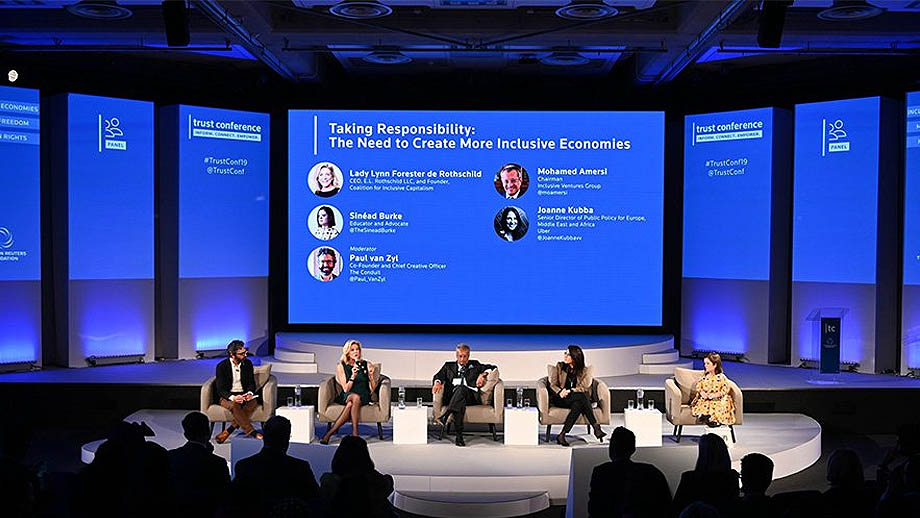
What Is a Projector?
A projector is a display device that uses a lens to magnify and project light from an image onto a screen or wall surface. In other words, a projector’s image is not self-illuminated but is formed by reflected light. Based on the projector’s primary light source, we can broadly classify them into three types:
- Bulb-based projectors: These use gas-discharge bulbs as the primary light source. While the initial purchase cost is lower, the bulbs require regular replacement and maintenance.
- LED projectors: These use LEDs as the primary light source. Compared to other types, they require less maintenance and have a longer service life.
- Laser projectors: These use laser diodes as the primary light source. They offer relatively high screen brightness and good color reproduction, but they also have the highest purchase cost.
Due to the limited brightness of the projector’s primary light source, these devices are only suitable for indoor conference rooms with low ambient light.
Additionally, image quality is influenced by the texture of the projection screen or wall, and their performance is significantly constrained by the environment. Therefore, multiple environmental factors must be carefully considered before use.
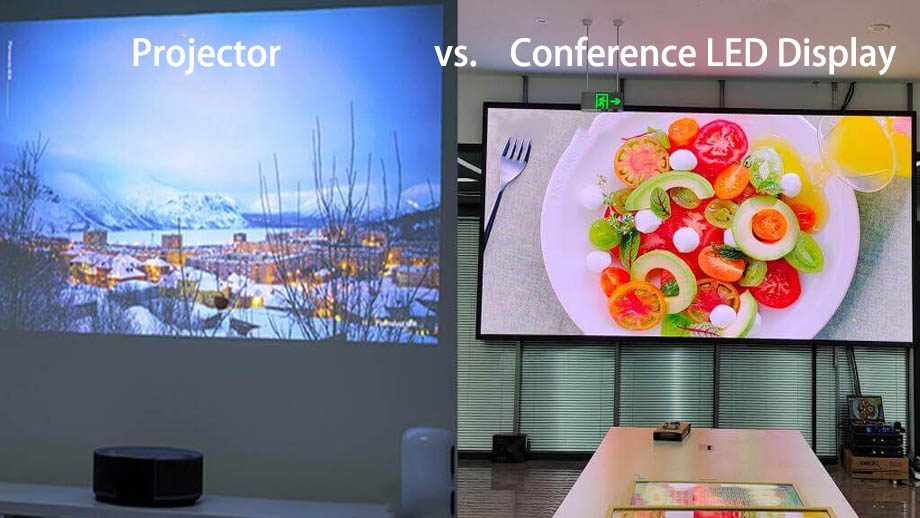
Conference LED Displays vs. Projectors: Key Differences
Size and Resolution
Conference LED Displays
Screen size can be adjusted by increasing or decreasing the number of LED cabinets. They support multiple pixel pitch options; the smaller the pixel pitch, the closer the optimal viewing distance, and the clearer and more detailed the image.
Conference room LED displays can be easily customized to high resolutions such as 720p, 1080p, and 2K, and their procurement costs generally remain within a manageable range.
Projectors
The image size of a projector is determined by the distance between the projector and the screen or wall. The closer the projector is to the wall or screen, the smaller the image size and the sharper the details; conversely, the farther the projector is from the screen, the larger the image size and the blurrier the image.
Most projectors typically have a resolution of 1080p, while a small number of high-end models support 4K resolution; however, 4K projectors are very expensive to purchase and require a substantial budget.
Image Brightness
Conference LED Displays
As self-illuminating displays, conference LED screens can achieve high brightness levels ranging from 500 to 1,100 nits. Whether in dimly lit environments or brightly lit indoor spaces with many windows or glass structures, the screen content remains highly visible.
Projectors
Projector brightness is measured in lumens, typically ranging from 1,500 to 3,000 lumens. A small number of high-end models can reach 5,000 lumens, but these come with a higher purchase cost.
The overall brightness of the projected image is relatively low, making it suitable only for indoor spaces with low ambient light; In some cases, meeting room lights must be turned on to allow attendees to take notes, which significantly reduces the visibility of the projector’s image.
Color and Contrast
- Conference LED Displays: These displays support over 16.7 million colors, accurately reproducing image colors; furthermore, the LED panels feature a deep black design, resulting in high screen contrast ratios ranging from 3,000:1 to 10,000:1.
- Projectors: The colors of a projector’s image are easily affected by the colors in the projection area, resulting in poor color accuracy. Additionally, the image contrast is low; typical projector contrast ratios range from 1,000:1 to 3,000:1.
Setup Time
- Conference LED Display: Once installed, you can adjust the screen parameters using the controller and save them as presets. Subsequently, when using the LED screen, you can simply power it on and use the preset settings to display content, eliminating the need for additional setup time and essentially achieving a “plug-and-play” experience with rapid response.
- Projector: Before each use, a projector requires adjusting the distance between the device and the projection area, which takes time to fine-tune image clarity and perform keystone correction on the displayed image.
Cost and Maintenance Requirements
- Conference LED Displays: While LED screens have a relatively higher initial purchase cost, their light-emitting process is stable, they generate very little heat, and the LED lamps are not prone to damage. Other related electronic components can also maintain healthy operation in a temperature-stable environment. Except in cases of intentional damage, conference LED displays require virtually no maintenance during operation.
- Projectors: Maintenance requirements for projectors vary depending on the primary light source. Bulb-based projectors have a lower purchase cost but higher maintenance demands; their bulbs are prone to brightness degradation or failure and require regular replacement. Laser or LED projectors, on the other hand, require less maintenance but have a higher purchase cost.
Portability
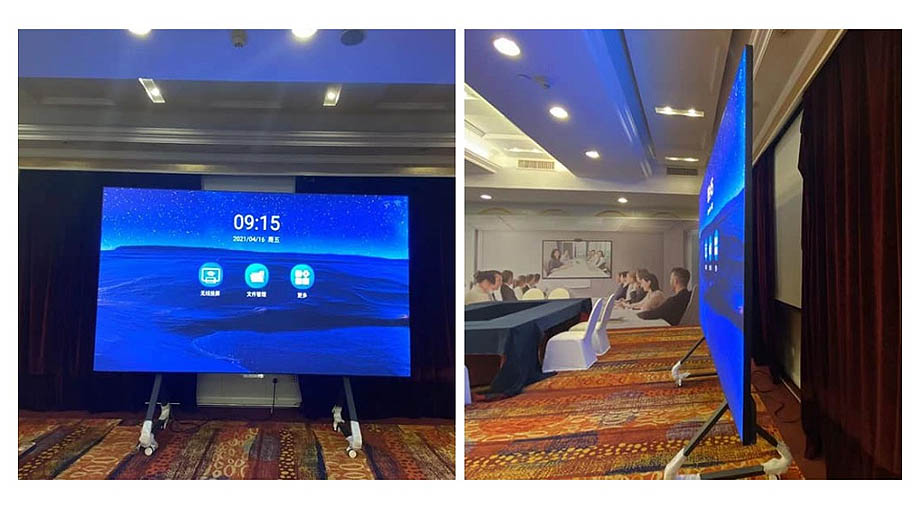
- Conference LED Displays: The portability of the screen depends on the type of installation. If you install a fixed LED display as a conference room screen, it cannot be moved freely once installed; if you choose an all-in-one LED display for the conference room, the screen can be moved to any location and its viewing angle adjusted as needed.
- Projectors: With the exception of projectors permanently mounted to the ceiling, most projectors are placed directly on a table, allowing for easy movement and repositioning, offering excellent portability.
Comfort for Extended Viewing
- Conference LED Displays: With clear images and bright content, viewers do not have to strain their eyes when looking at the screen. Furthermore, the safe viewing distance from blue light is more than half a meter, and the optimal viewing distance for LED displays is typically more than half a meter. Therefore, viewers experience relatively less eye strain when watching LED screens for extended periods.
- Projectors: Projector images tend to be dimmer. If the focus is not adjusted properly to achieve optimal image quality, the image may appear blurry, requiring viewers to strain to see and make out the content. While proper focus adjustment ensures a good viewing experience, prolonged viewing of low-brightness images can cause greater eye strain.
Power Consumption
- Conference LED Displays: Although LED displays are highly efficient at converting electrical energy into light, they contain a large number of self-illuminating LEDs. Consequently, their overall power consumption is higher than that of projectors.
- Projectors: Projectors have fewer primary light sources, and the brightness of these sources is lower, resulting in lower overall power consumption.
Operating Noise
- Conference LED Displays: Generally, indoor LED displays do not require fans for cooling; natural convection is sufficient to meet the device’s operational needs. The screens can operate silently, providing a better user experience for meeting participants.
- Projectors: When in use, projectors operate with cooling fans; as these fans age, they can produce noticeable noise, which can negatively impact the user experience during meetings.
Service Life
- Conference LED Displays: Conference LED displays typically operate reliably for over 100,000 hours. Their long service life helps reduce maintenance costs.
- Projectors: The lamp life of lamp-based projectors ranges from 2,000 to 5,000 hours, requiring regular lamp replacement to maintain stable operation; laser and LED projectors, by comparison, have a longer service life.
Conference LED Displays vs. Projectors: Quick Comparison Table
| Comparison Criteria | Conference LED Display | Projector |
| Size | Scalable based on the size and number of LED cabinets | Depends on the distance between the projector and the screen |
| Resolution | Supports 720p, 1080p, 2K, etc. | Most are 1080p; 4K equipment is extremely expensive |
| Brightness | 500 ~ 1,100 nits | 1,500 ~ 3,000 lumens; a small number of high-end models can reach 5,000 lumens |
| Color Accuracy | Extremely high | Average |
| Contrast Ratio | 3,000:1 ~ 10,000:1 | 1,000:1 ~ 3,000:1 |
| Setup Time | Plug-and-play | Requires time to adjust focus and perform keystone correction |
| Cost | Relatively high purchase cost | Relatively low purchase cost |
| Maintenance Requirements | Low | High |
| Portability | Some models support free movement | Non-fixed installation devices can be moved freely |
| Eye Comfort During Prolonged Viewing | Gentle on the eyes | More likely to cause eye strain |
| Power Consumption | Relatively higher | Relatively lower |
| Operating Noise | Silent operation | Fan operation produces slight noise, which generally does not affect use; noise becomes noticeable as the fan ages |
| Service Life | Over 100,000 hours | 2,000 ~ 5,000 hours (bulb projectors) |
As shown in the table, conference LED displays offer higher brightness, color accuracy, and contrast, resulting in superior image quality. If your indoor environment is relatively bright and you have more professional, high-end requirements for screen display, a conference LED display is the better choice for your meeting room.
If you have a limited budget for a display and the indoor lighting is relatively dim, a projector would be the more cost-effective option.
Why Choose JYLED’s Conference LED Displays?
- Extensive Experience and Exceptional Quality: With 8 years of manufacturing experience, JYLED boasts state-of-the-art production facilities and a team of seasoned engineers. All conference LED modules produced in our factory are of exceptional quality and maintain a consistently high yield rate.
- Factory-Direct Pricing: As an integrated LED display manufacturer and distributor, JYLED offers you the opportunity to purchase your ideal conference LED display at factory-direct prices, eliminating markups from third-party resellers.
- Reliable Delivery Times: JYLED’s production facility can operate 8 automated production lines simultaneously, ensuring you receive your order within the expected timeframe.
- Global Logistics Support: JYLED maintains long-term partnerships with professional freight forwarders. No matter which country you’re in, we can help deliver your goods safely and reliably to a nearby port, and all conference LED modules are protected with secure wooden crates or flight cases.
FAQ
Can a Projector Display Content Normally Without a Dedicated Projection Screen?
Yes, a projector can display images on a wall or other surfaces. However, if the surface is uneven or has strong textures, the display quality will be very poor, and the content may appear blurry.
Do Conference LED Screens Support Online Meetings?
Yes, they do. You can use the synchronized control mode to have the conference LED screen display the same image as your computer, and most computers or laptops support online video conferencing.
Is It Recommended to Install an LCD Screen in a Conference Room?
LCD screens are typically limited in size and cannot accommodate large display environments; however, for small conference rooms, you can install an LCD screen as the meeting room display.
How Do I Choose the Size of an LED Display for a Conference Room?
We recommend installing a 5 ~ 8 ㎡ LED screen for small conference rooms (accommodating 6 ~ 15 people); a 10 ~ 14 ㎡ LED screen for medium-sized conference rooms (accommodating 15 ~ 25 people); and a 15 ~ 20 ㎡ LED screen for large conference rooms (accommodating 25 ~ 60 people).
Conference LED Displays vs. Projectors: Can They Be Connected to Audio Devices?
Yes. Conference LED displays require a video processor to input content signals, and most video players typically support connecting to audio devices, allowing the display’s visuals and audio to be synchronized. Projectors can also be connected to audio devices.
Summary
For users looking to install a display in a conference room, a projector is a very affordable option, but image quality is susceptible to environmental interference.
Conference LED displays, on the other hand, offer more features and more stable image quality, though they are relatively more expensive. You should choose the appropriate conference room display based on your budget and specific needs.

