



VX400 Pro: Professional LED Video Controller
The VX400 Pro stands apart from ordinary controllers by integrating seamless signal switching, image configuration, video processing, color correction, and more. It offers comprehensive control solutions and multiple operating modes.
With exceptional video processing capabilities and professional control performance, the VX400 Pro is the ideal choice for rental events and permanent installations.
VX400 Pro Front Panel Overview
Like many controller products, the VX400 Pro features multifunctional front panel buttons. Press and hold the knob and return button simultaneously for 3 seconds or longer to lock or unlock these buttons, enabling precise control over your LED display. Let’s explore more features of the NovaStar VX400 Pro front panel.
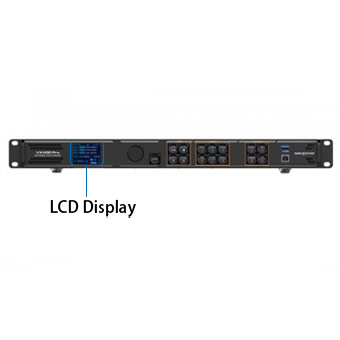
The VX400 Pro’s front panel features an LCD display. This panel allows you to view the LED display’s device status, control menus, submenus, and system messages. This LCD display enables more precise control.
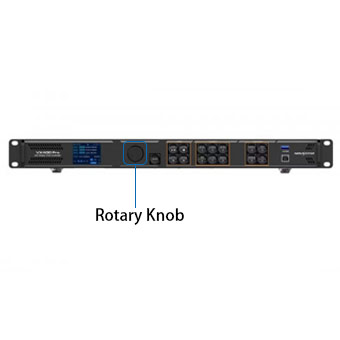
The rotary knob on the VX400 Pro front panel facilitates navigation and selection. Rotate it to choose menu options or adjust parameter values. Pressing the knob confirms settings or operations, making the process straightforward.
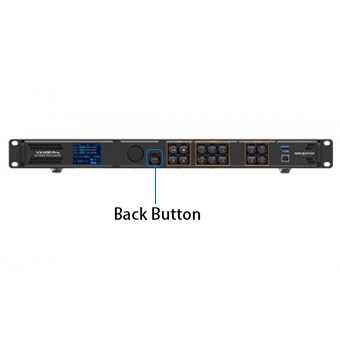
As the name suggests, the VX400 Pro’s back button cancels operations and exits the current menu. This versatile button enhances operational convenience.
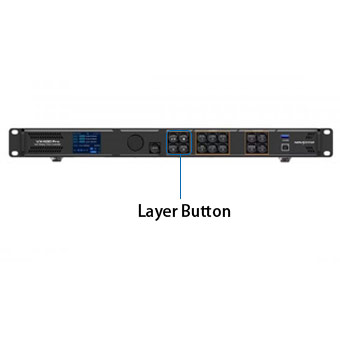
The VX400 Pro’s Layer button enables toggling layers on/off and displays layer status. It also controls playback and allows the lowest priority layer to fill the entire screen.
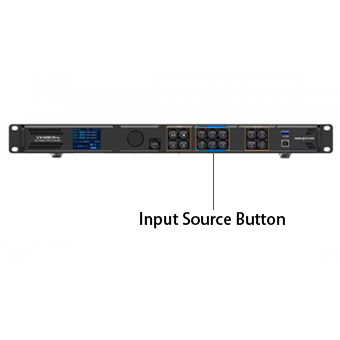
The VX400 Pro’s Input Source button displays input source status and switches layer input sources. Monitor the input signal status via the adjacent indicator light to make precise adjustments.
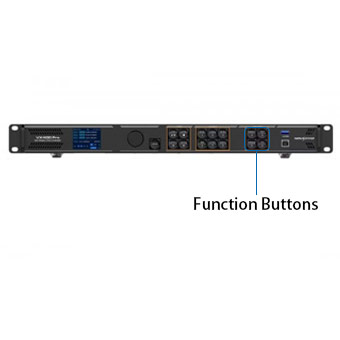
The JYLED VX400 Pro features four function buttons: Preset, Test, Freeze, and FN. Each represents a distinct function, allowing you to enter the function menu or activate the corresponding feature with a press.
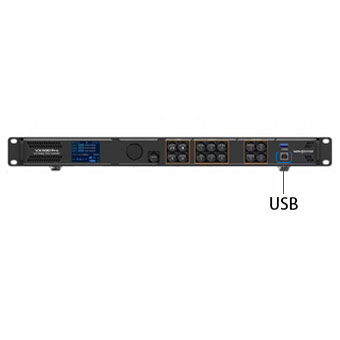
Beyond the buttons, the NovaStar VX400 Pro’s front panel includes a USB port for connecting to a PC. This enables control of the LED display via your computer.
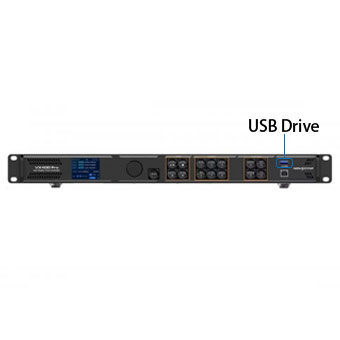
The VX400 Pro’s USB port supports USB playback. Plug in a USB drive to instantly display stored images or videos—a plug and play design that saves time and effort.
What are the key features of the VX400 Pro?

The VX400 Pro supports up to 256 custom presets. Load presets with a single button press, or preview layer information within presets. After use, presets can be overwritten or deleted.

The NovaStar VX400 Pro supports up to 6 layers of display. You can create three different layer specifications and freely scale, position, and set layer priorities to perfectly handle complex visual layouts.

The VX400 Pro video processor from JYLED supports three image scaling modes: full screen scaling, pixel to pixel scaling, and custom scaling. Each mode addresses distinct image display requirements.

The VX400 Pro enables color management of output content, allowing you to adjust brightness, saturation, contrast, and hue for LED display content. This ensures precise content display and prevents color discrepancies during actual viewing.

NovaStar VX400 Pro provides comprehensive end to end backup capabilities, including device to device backup, input source backup, Ethernet port to port backup, and OPT to Ethernet port backup, ensuring robust data security.

After a normal shutdown or unexpected power loss, the VX400 Pro automatically restores previously saved settings upon power restoration, safeguarding your data and preventing loss from unforeseen circumstances.
VX400 Pro: Comprehensive Interface Configuration
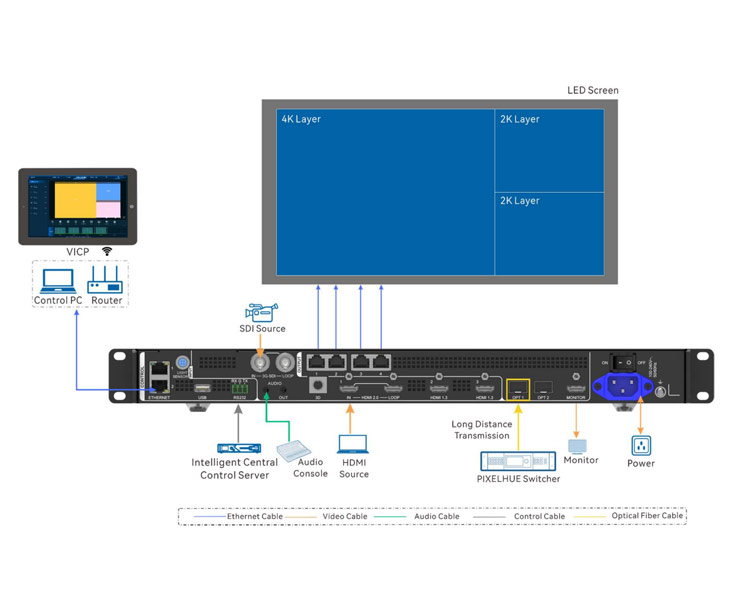
JYLED’s VX400 Pro video processor features a rich array of interfaces that define its input and output capabilities. Below is a brief overview of these interfaces.
For inputs, the VX400 Pro offers a comprehensive array of interfaces, including: 1 HDMI 2.0 port,2 HDMI 1.3 ports,1 10G fiber optic port,1 3G-SDI port,1 USB 3.0 port These interfaces deliver diverse video source signals to LED displays, expanding content display options.
For outputs, the VX400 Pro features 4 Gigabit Ethernet ports, 2 fiber optic output ports, 1 HDMI 1.3 port, and 1 3D port. The 3D port serves as an expansion interface: simply connect a third-party 3D transmitter and wear compatible 3D glasses to enable stereoscopic 3D effects on the LED display.
These interfaces demonstrate the VX400 Pro’s comprehensive capabilities, meeting diverse needs across various scenarios. For detailed interface specifications, consult the VX400 Pro datasheet available on the NovaStar official website, which provides thorough interface descriptions.
VX400 Pro's Powerful Image Processing Capabilities
The VX400 Pro boasts robust image processing capabilities, primarily manifested in the following aspects.
First, the VX400 Pro utilizes SuperView III image quality processing technology, enabling seamless output scaling to display rich detail. Building on this foundation, it also supports HDR10 and HLG high dynamic range display capabilities, further enhancing image depth and realism.
Second, the VX400 Pro enables pixel level brightness and chromaticity calibration. Using NovaLCT and NovaStar calibration software, you can achieve precise color and brightness calibration down to each individual pixel.
This feature effectively eliminates color deviations in LED displays, significantly improving brightness consistency and chromatic uniformity to deliver high quality visuals.
Additionally, the NovaStar VX400 Pro supports displaying test patterns on the screen, streamlining image testing and improving LED display control efficiency.
VX400 Pro Text OSD Functionality
The VX400 Pro sold by JYLED supports text OSD functionality. This text overlay layer displays relevant and useful information on the LED display. This exceptional feature provides another customization option, offering greater flexibility in arranging your screen content.
The Text OSD offers four components: Static Text OSD, Dynamic Text OSD, Weather OSD, and Time OSD. These four Text OSD components deliver eye-catching text presentation effects.
Moreover, you can customize text content, font, color, size, opacity, and background color. The system also supports configuring the scrolling direction, initial position, and speed for the Dynamic Text OSD.
Please note that the Text OSD function cannot be used simultaneously with the Image OSD function. Additionally, Dynamic Text OSD cannot be used concurrently with other Text OSD components.

VX400 Pro: Convenient and Efficient Multi-Device Modes
The VX400 Pro’s device modes are broadly categorized into two types: Video Device Mode and OPT Mode. Below is a detailed introduction to both modes.
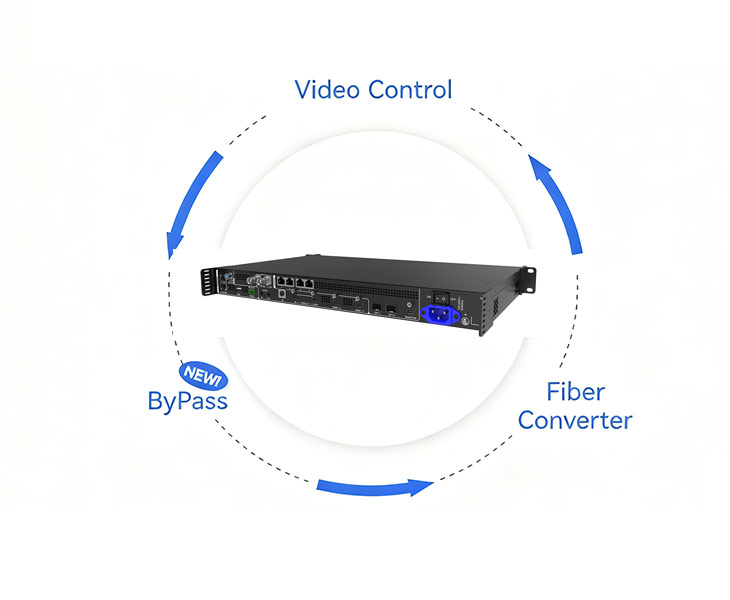
In Video Device Mode, the NovaStar VX400 Pro primarily handles video signal processing and transmission. This mode is further subdivided into three distinct modes, allowing flexible selection based on your requirements.
- Video Controller Mode: In this mode, the VX400 Pro integrates video signal input, image processing, layer overlay, scaling, and output control functions. It is suitable for various scenarios such as stage performances and conference rooms.
- Fiber Converter Mode: In this mode, the VX400 Pro transmits video signals over long distances via fiber optic cables while maintaining stable performance and exceptional image quality. This functionality is ideal for large scale events requiring extended transmission distances.
- Bypass Mode: In this mode, video signals are output directly without processing, minimizing latency to ensure stable and rapid response capabilities during critical moments.
In OPT Mode, the NovaStar VX400 Pro enables long distance signal transmission with two additional options to meet diverse requirements:
- Replication Mode: Continuously mirrors data from the primary system to the backup unit, enabling synchronized playback of identical content across multiple screens.
- Standby Mode: Automatically switches signal output to the backup unit upon primary system failure, ensuring uninterrupted display.
Each mode possesses distinct functional characteristics to meet diverse usage requirements, making LED display control more convenient and efficient.
Why Choose JYLED for Your VX400 Pro Purchase?
As a leading professional LED display manufacturer in China with over fifteen years of extensive manufacturing experience, JYLED delivers the most comprehensive pre-sales and after-sales support.
Before purchasing the VX400 Pro, if you have specific configuration requirements, our team of professional engineers can provide a range of relevant case studies for reference. We will also develop tailored configuration solutions for your project to ensure flawless deployment.
After purchasing the VX400 Pro, we offer lifetime remote service support. Should you encounter any challenges during product use, simply contact JYLED’s professional engineers for one-on-one remote assistance.
VX400 Pro Application Scenarios

The VX400 Pro seamlessly integrates with hospital LED displays, offering stable performance and versatile functionality. It excels in displaying patient call systems, hospital navigation, physician profiles, and other content, ensuring a reassuring healthcare experience for patients.
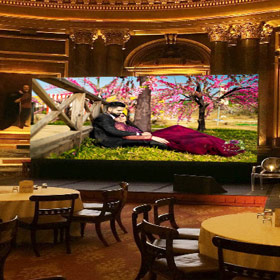
In restaurants, the VX400 Pro assists LED displays with new menu promotions and food presentations. Its exceptional image processing enhances culinary details with vibrant colors and glossy finishes, stimulating customers’ appetites.
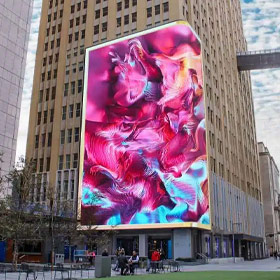
Housed in an industrial-grade enclosure with robust video processing and transmission capabilities, the VX400 Pro can be deployed in city squares, parks, and other public spaces. It supports outdoor LED displays for broadcasting weather updates, city promotions, and other public information.
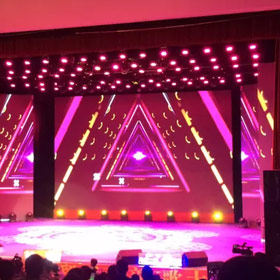
NovaStar VX400 Pro delivers zero-latency, tear-free precision display for concert LED screens. It supports color management for output content, enabling comprehensive adjustments to brightness, hue, and saturation to achieve flawless stage effects.
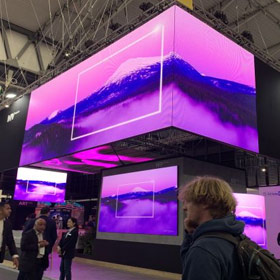
JYLED’s popular VX400 Pro supports multiple signal inputs and tiling displays, meeting multiscreen tiling demands for exhibitions. Its versatile operating modes enable seamless adaptation to diverse exhibition types and scales.
VX400 Pro Delivers Perfect Output Performance
JYLED’s VX400 Pro delivers powerful and stable output performance, ensuring flawless output reliability in any application scenario.
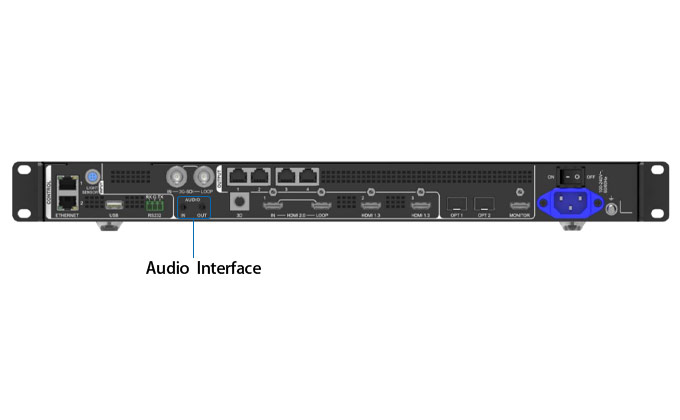
For audio output, the VX400 Pro offers two output methods, providing convenient connectivity while ensuring seamless output. This eliminates audiovisual desynchronization, delivering an impeccable audiovisual experience.
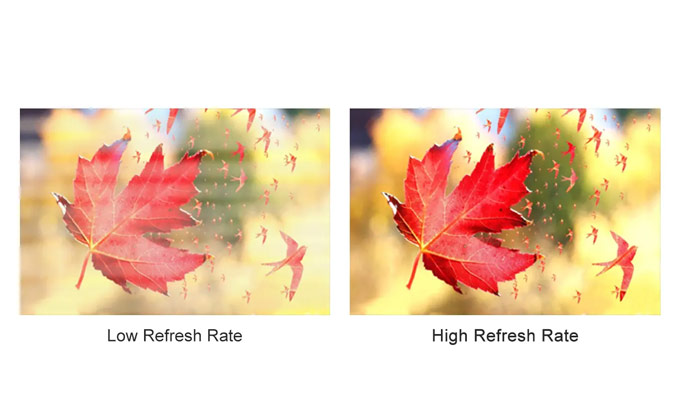
When paired with LED displays, the VX400 Pro achieves refresh rates up to 3840Hz, ensuring stable, flicker-free visuals. Activating Bypass Mode reduces latency to 0 frames, enabling synchronized and stable image signal output.
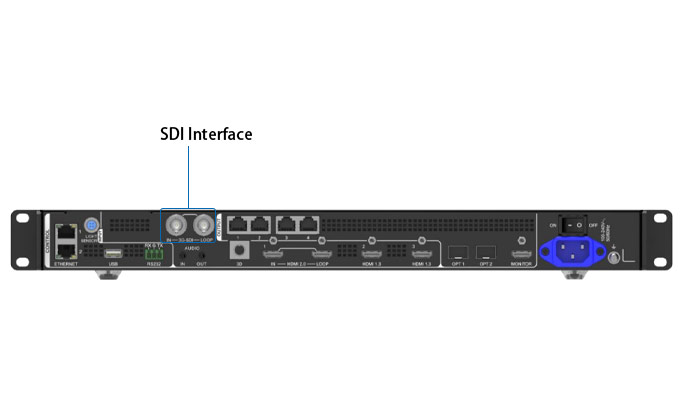
The NovaStar VX400 Pro features an SDI interface, a locking interface capable of transmitting data over extended distances. Its interference-resistant design ensures uninterrupted connections and consistently stable output performance.

JYLED’s VX400 Pro has undergone rigorous round-the-clock testing in extreme high and low temperatures. Verification results demonstrate its exceptional stability and reliability, maintaining stable signal output even in harsh environments.
VX400 Pro Case show
- Case show
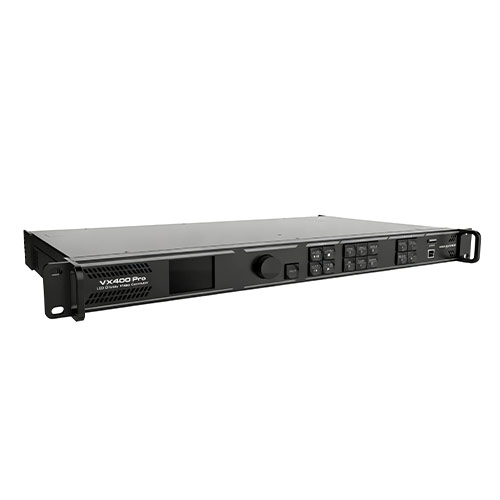
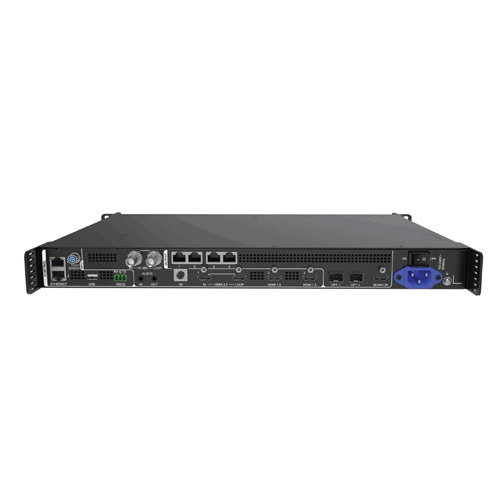
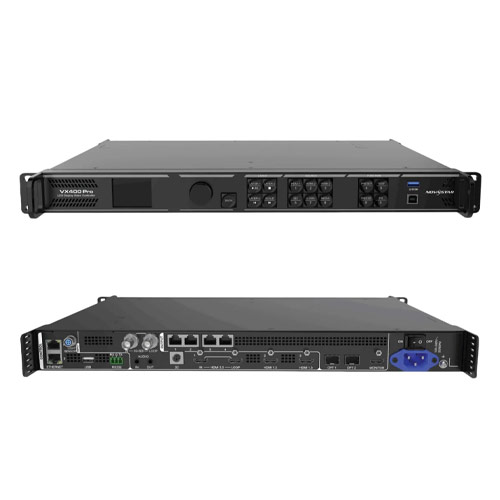
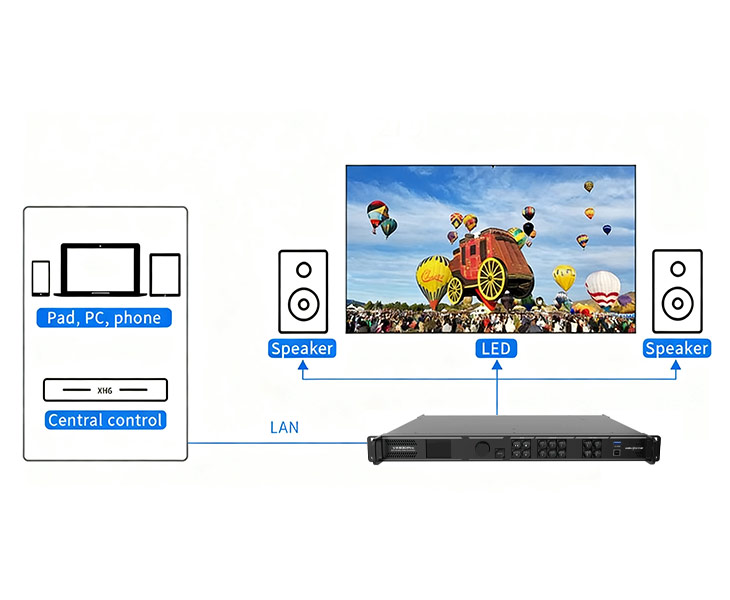
The VX400 Pro supports front-panel knob control, Unico software control, NovaLCT control, VICP app control, and remote control (optional).
The remote control allows you to adjust screen brightness, volume, switch preset modes, configure USB playback parameters, optimize output image quality, switch layer input sources, and set 3D functionality. Refer to the user manual for detailed instructions.
A single VX400 Pro unit can drive up to 2.6 million pixels. When multiple units are tiled together, the maximum supported width is 10,240 pixels and the maximum height is 8,192 pixels.
The VX400 Pro supports importing and exporting EDID files. This feature enables input sources to send optimally compatible signal data to the LED display, ensuring the best possible image quality.
Achieving free topology with the VX400 Pro requires a dedicated receiver card. Additionally, the maximum external rectangle loaded onto the device must remain within its processing capacity.
The VX400 Pro Ethernet port backup test verifies whether pre-stored mirroring and backup Ethernet ports are active without physically disconnecting network cables.
When using the VX400 Pro, simply connect the device to a light sensor to collect ambient brightness data, enabling automatic brightness adjustment for the LED display.
The VX400 Pro supports the following language options: English, Chinese, Hindi, Spanish, French, Portuguese, Russian, Japanese, Korean, German, Vietnamese, Turkish, Thai, and Indonesian.
After purchasing the VX400 Pro from JYLED, we will provide the relevant user manual. If you encounter any difficulties during use, you can contact JYLED’s professionals, and we will assist you.
The current market price for the NovaStar VX400 Pro ranges from $950 to $1,200. Specific pricing is influenced by various factors. Contact JYLED via the form on the right for the latest pricing information.
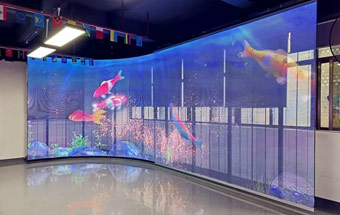
JYLED’s transparent LED display is constructed from transparent LED modules, enabling clear visuals without obstructing the background scenery. It is commonly used in storefronts, glass walls, and similar applications.
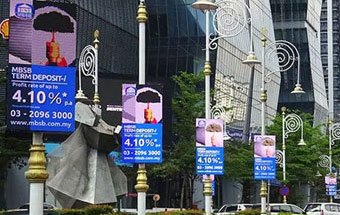
JYLED’s light pole LED display replaces traditional LED light boxes as a new device for bulk advertising content replacement. Featuring IP67-rated protection and an intelligent cooling system, it operates reliably even in high temperatures.
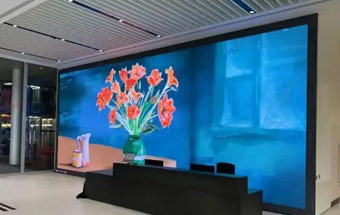
High definition LED displays are constructed from high-definition, high-brightness LED modules. JYLED utilizes premium LED chips and high-performance ICs during production, enabling effortless realization of ultra-high resolutions like 2K, 4K, or even 8K.
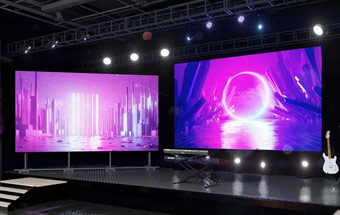
JYLED’s indoor rental LED display features a high-precision die-cast aluminum cabinet for easy installation and disassembly. It achieves seamless splicing for a flawless installation effect, making it ideal for various indoor rental events.
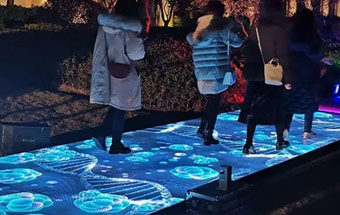
LED screen floor is a ground-mounted display solution. This dynamic flooring brings vitality to static surfaces with robust load-bearing capacity, commonly used in stage performances to deliver enhanced visual effects.
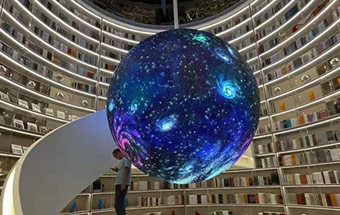
The LED spherical display features a spherical design. Offering clear visibility from any angle, its unique appearance delivers creative impact and exceptional visual appeal.